
Affiliate Disclosure: This article contains affiliate links. If you click on a link and make a purchase, I may earn a small commission at no extra cost to you. I only recommend tools and resources that I believe are useful and relevant.
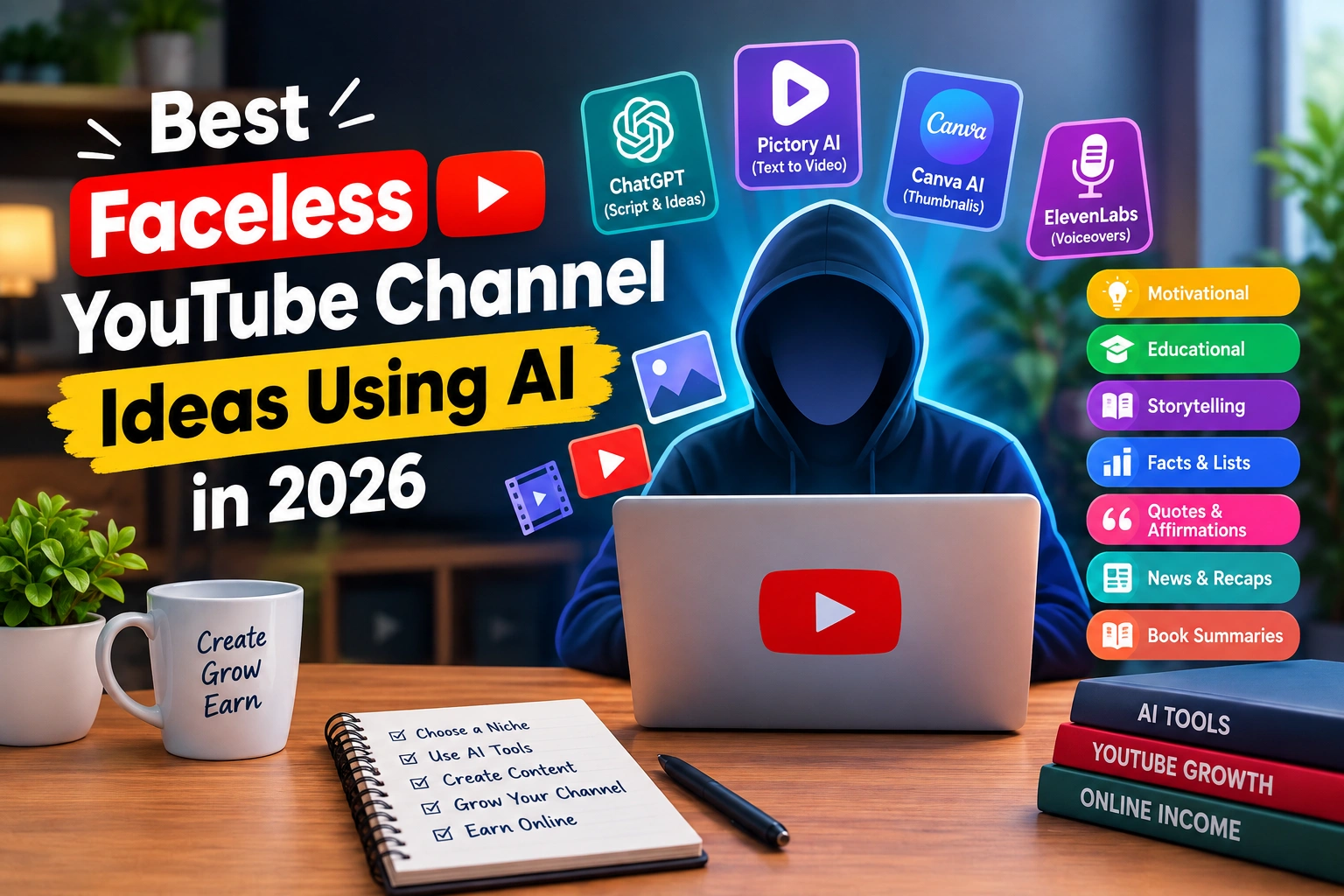
Faceless YouTube channel ideas are becoming increasingly attractive to beginners who want to create videos without appearing on camera.
You don’t necessarily need a studio, expensive camera, or personal-brand content to start a YouTube channel. A faceless channel can use screen recordings, voiceovers, animations, stock footage, original graphics, demonstrations, or other visual formats instead.
AI tools can also make parts of the production process easier. They can help with brainstorming, research organization, script development, voiceovers, captions, thumbnails, and editing.
However, AI should not be treated as a button that automatically creates a successful channel.
The most important decisions still come from the creator: choosing a useful niche, understanding the audience, checking information, adding original value, and creating videos people actually want to watch.
In this guide, you’ll discover some of the best faceless YouTube channel ideas using AI in 2026, along with examples, content formats, AI-assisted workflows, monetization options, and mistakes to avoid.
What Is a Faceless YouTube Channel?
A faceless YouTube channel is a channel where the creator does not normally appear on camera.
Instead, videos can be built around:
- Voiceovers
- Screen recordings
- Animations
- Original graphics
- Stock footage
- Tutorials
- Text and captions
- Product demonstrations
- Narrated storytelling
Being faceless does not mean the content should be anonymous or automatically generated.
A successful faceless channel still needs a clear topic, recognizable style, useful information, and original presentation.
For example, a technology channel could explain how an AI tool works using screen recordings and narration without ever showing the creator’s face.
Why Use AI for a Faceless YouTube Channel?
AI can reduce some of the repetitive work involved in producing videos.
Depending on your workflow, AI can help with:
- Brainstorming video topics
- Organizing research
- Creating an initial script outline
- Improving narration
- Generating captions
- Editing transcripts
- Creating thumbnail concepts
- Repurposing long videos into Shorts
- Turning ideas into visual concepts
The important distinction is that AI-assisted production is different from publishing unedited AI output.
A better workflow is:
Research → Plan → Create → Edit → Fact-check → Publish → Analyze
AI can assist with several steps, but you should remain responsible for the final video.
If you want to explore the software side of faceless video production, see our guide to AI tools for YouTube automation.
7 Best Faceless YouTube Channel Ideas Using AI in 2026
The best niche for you depends on your knowledge, interests, available time, and the type of content you can consistently produce.
Here are seven practical options to consider.
1. AI Tools and Software Tutorial Channel
AI software is a natural fit for faceless content because you can demonstrate the product directly through your screen.
You don’t need to appear on camera.
Video ideas
- How to use an AI writing tool
- Best AI tools for small businesses
- AI tool comparisons
- Beginner tutorials
- Step-by-step workflows
- AI productivity tutorials
- New AI tool walkthroughs
How AI can help
AI can assist with:
- Video outlines
- Research organization
- Script editing
- Captions
- Thumbnail ideas
- Video descriptions
The most valuable part of the video should be your actual demonstration, testing, observations, or explanation.
Best format
Screen recording + voiceover + captions
This can also work particularly well for creators who already write about AI tools.
2. Educational Explainer Channel
Educational channels can cover almost any subject where viewers want a complicated topic explained simply.
Possible niches include:
- Artificial intelligence
- Technology
- Science
- History
- Productivity
- Business concepts
- Digital skills
For example, instead of making a generic video called:
“What Is AI?”
you could create:
“How AI Chatbots Understand Your Questions”
The second topic gives the viewer a much clearer reason to click.
How AI can help
AI can help you:
- Brainstorm explanations
- Organize a script
- Simplify difficult concepts
- Create examples
- Generate questions for research
However, factual information should still be checked against reliable sources.
Best format
Narration + diagrams + screen recordings + original graphics
3. AI Storytelling Channel
Storytelling is another format that can work without showing your face.
Possible directions include:
- Fictional stories
- Mystery stories
- Horror stories
- Moral stories
- Historical storytelling
- Science-fiction stories
AI can help with brainstorming characters, developing story structures, and improving drafts.
But simply asking an AI tool to generate a story and uploading the result is unlikely to create a distinctive channel.
Your channel needs its own:
- Story style
- Narration style
- Visual identity
- Editing approach
- Themes
- Audience
Example
Instead of:
“A scary story generated by AI”
build a recognizable series such as:
“5-Minute Mystery Stories”
with a consistent narration and visual format.
4. Technology and Gadget Explainer Channel
Technology is particularly suitable for faceless YouTube content.
You can create videos using:
- Screen recordings
- Product images where properly licensed
- Original graphics
- Voiceovers
- Specifications and comparisons
- Demonstrations
Video ideas
- Smartphone comparisons
- New technology explained
- AI hardware
- App tutorials
- Software updates
- Beginner tech guides
- “How it works” videos
For example:
“5 AI Features That Can Save You Time on Your Phone”
could be produced entirely without showing the creator.
The key is to add original explanation rather than simply reading specifications from another website.
5. Productivity and Software Workflow Channel
Another useful faceless niche is productivity.
Instead of generic motivational content, focus on practical problems.
Video ideas
- How to organize digital tasks
- AI productivity workflows
- Notion tutorials
- Email productivity
- Time-management systems
- Browser extensions
- Automation workflows
- Study tools
Screen recordings make this type of content naturally faceless.
You can show viewers exactly how a workflow works instead of simply telling them about it.
Example format
Problem → Tool → Setup → Demonstration → Result → Tips
This structure can make tutorials easier to follow.
6. Facts, History and Science Channel
Fact-based channels can cover topics such as:
- Space
- Animals
- History
- Science
- Technology
- Geography
- Psychology concepts
The biggest challenge is research accuracy.
AI can help organize information, but you should verify important facts before publishing.
Example topics
- “Why Do Black Holes Have Such Strong Gravity?”
- “How Did the Internet Become Global?”
- “5 Strange Facts About the Human Brain”
- “How Satellites Stay in Orbit”
A strong visual presentation can make these topics work well without a camera.
7. Motivational and Personal Development Channel
Motivational content is another possible faceless format.
However, simply combining famous quotes with generic stock footage can make it difficult to create a distinctive channel.
A better approach is to focus on a specific audience or problem.
Possible topics
- Building better habits
- Study motivation
- Productivity
- Career development
- Confidence
- Goal setting
- Personal discipline
Instead of:
“10 Motivational Quotes”
try:
“How to Stay Consistent When You Don’t Feel Motivated”
The second approach gives you more room for original explanation and storytelling.
Faceless YouTube Channel Ideas Compared
Before choosing a niche, think about the production requirements rather than choosing a topic only because it appears popular.
| Channel idea | Production difficulty | Camera required? | Good for Shorts? | Long-form potential |
|---|---|---|---|---|
| AI tutorials | Low–Medium | No | Yes | High |
| Educational explainers | Medium | No | Yes | High |
| AI storytelling | Medium | No | Yes | High |
| Technology explainers | Medium | No | Yes | High |
| Productivity tutorials | Low–Medium | No | Yes | High |
| Facts/history/science | Medium | No | Yes | High |
| Personal development | Low–Medium | No | Yes | Medium–High |
These are production considerations, not guarantees of channel growth or income.
How to Choose the Right Faceless YouTube Niche
Don’t choose a niche only because someone says it is profitable.
Instead, ask yourself five questions.
1. Can I create 50 video ideas?
If you can only think of three videos, the niche may be too narrow for your current content strategy.
2. Can I add original value?
Ask:
What will my video provide that viewers cannot get simply by asking an AI chatbot the same question?
Your answer could be:
- Demonstrations
- Personal testing
- Commentary
- Research
- Storytelling
- Visual explanations
- Comparisons
- Tutorials
3. Can I produce videos consistently?
A complicated production process can become difficult to maintain.
A simple workflow you can repeat is often more useful than a highly complicated setup.
4. Can I explain the topic?
You don’t have to be an expert, but you should be willing to research the subject carefully.
5. Can the niche support multiple content formats?
A healthy content strategy might include:
- Shorts
- Tutorials
- Comparisons
- Explainers
- List videos
- Case studies
This gives you more flexibility when planning content.
A Simple AI Workflow for Faceless YouTube Videos
You don’t need a large collection of AI tools to begin.
A simple workflow could look like this:
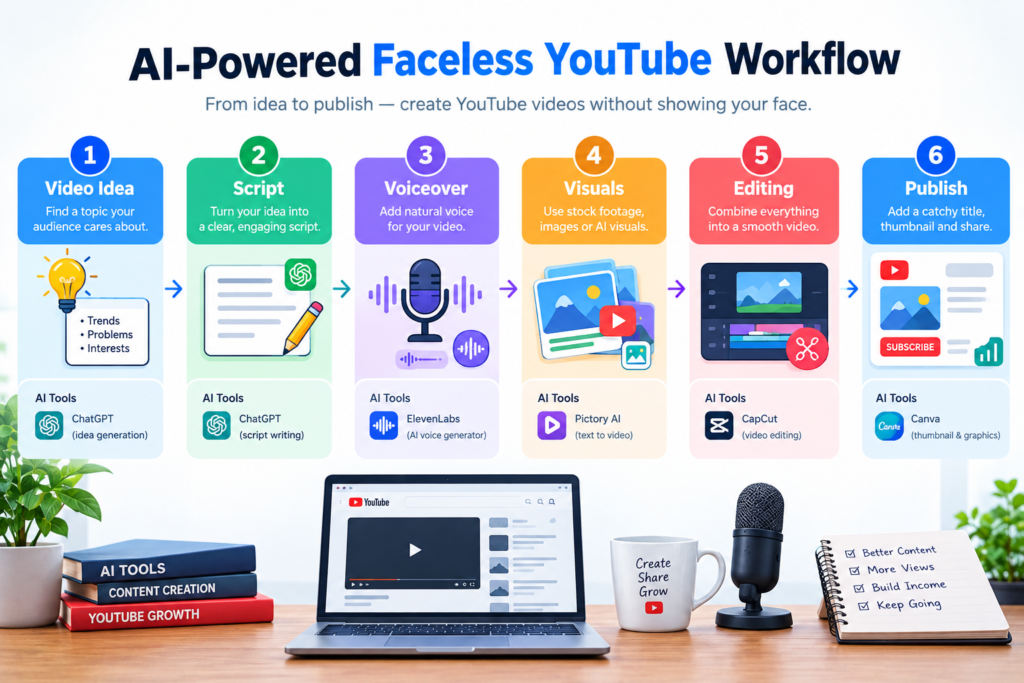
Step 1: Find a useful topic
Start with a specific problem or question your target viewer has.
Step 2: Research the topic
Collect reliable information and identify what existing videos are missing.
Step 3: Create the outline
Use AI to organize your ideas, but make the final structure your own.
Step 4: Write the script
Create a natural script designed for spoken narration.
Avoid making every sentence sound like a formal article.
Step 5: Record the voiceover
You can use your own voice or an appropriate AI voice solution, depending on your content and workflow.
Step 6: Create the visuals
Use screen recordings, original graphics, animations, diagrams, licensed media, or other appropriate visuals.
Step 7: Edit the video
Remove unnecessary sections, improve pacing, add captions, and make sure the visuals support the narration.
Step 8: Create the thumbnail
Your thumbnail should communicate the video’s main idea quickly.
Step 9: Review everything
Check:
- Facts
- Copyright
- Audio
- Visuals
- Spelling
- Links
- Claims
- Thumbnail
- Title
Step 10: Publish and learn
After publishing, use your YouTube analytics to understand how viewers respond to your videos.
AI can speed up production, but analytics and viewer feedback should guide future improvements.
AI Tools You Can Use for a Faceless YouTube Channel
You don’t need every AI tool available.
A simple workflow might use different tools for different jobs:
| Task | Example tool category |
|---|---|
| Ideas and scripts | AI writing assistant |
| Voiceover | AI voice generator |
| Video editing | Video editor |
| Thumbnails | Canva or image/design tools |
| Screen recording | Screen recorder |
| Captions | Captioning tool |
| Research | Search and reference sources |
For example, if you’re already interested in AI content creation, you can also explore my guide to Best AI Tools for Content Creators.
The goal isn’t to collect dozens of tools.
Start with the smallest workflow that allows you to create useful videos consistently.
How Can a Faceless YouTube Channel Make Money?
A faceless channel can potentially use several monetization methods.
Depending on the channel and eligibility, these can include:
- YouTube monetization
- Affiliate marketing
- Sponsorships
- Digital products
- Services
- Courses or educational products
- Software referrals
The appropriate monetization method depends heavily on the audience.
For example, an AI software tutorial channel may naturally connect with relevant software affiliate programs.
A science channel may have a very different monetization model.
Don’t choose a niche solely because someone promises high income.
Focus first on building useful content for a clearly defined audience.
Common Faceless YouTube Mistakes to Avoid
1. Publishing raw AI-generated scripts
AI-generated text often needs editing.
Add your own examples, explanations, structure, and perspective.
2. Copying other creators
Don’t simply rewrite another YouTuber’s video and change a few words.
Research the topic independently and create your own presentation.
3. Using copyrighted material carelessly
Movies, television shows, music, images, clips, and other media can have copyright restrictions.
Check the rights associated with every asset you use.
4. Making every video look identical
A repetitive template can make your channel feel generic.
Experiment with:
- Hooks
- Visuals
- Pacing
- Examples
- Story structure
- Thumbnail concepts
5. Focusing only on AI automation
Automation should reduce repetitive work, not remove the creator from the creative process.
You still need to decide:
What should this video say, and why should someone watch it?
6. Chasing every trending topic
Trends can provide ideas, but a channel built entirely around unrelated trends can become difficult to define.
A clear audience is usually easier to serve consistently.
Is AI Content Allowed on YouTube?
Using AI during the production process does not automatically determine whether a video is acceptable.
The important questions include how the content is created, whether it provides meaningful value, whether it follows applicable YouTube policies, and whether the creator has the necessary rights to the material used.
That means you shouldn’t build a channel around automatically generating large numbers of nearly identical videos and uploading them without meaningful review.
Instead:
Use AI for assistance. Use human judgment for the final product.
For current requirements, creators should always check YouTube’s official policies and Creator resources before publishing content at scale.
You can review the official YouTube Creator Academy resources for guidance on creating and growing a channel.
Should Beginners Start a Faceless YouTube Channel With AI?
A faceless channel can be a practical format for beginners who don’t want to appear on camera.
But the absence of a camera doesn’t remove the work.
You’ll still need to:
- Research topics
- Write or edit scripts
- Create visuals
- Edit videos
- Design thumbnails
- Understand your audience
- Analyze performance
- Improve your content
The biggest advantage is flexibility.
You can build a channel around information, tutorials, stories, demonstrations, or explanations without making your face the central part of the content.
Final Thoughts
The best faceless YouTube channel ideas using AI aren’t necessarily the ones with the most automation.
They’re the ideas where you can consistently create useful, original content for a specific audience.
AI can help with research organization, scripting, voiceovers, editing, captions, and other parts of production. But the quality of the final channel still depends on your topic selection, creativity, accuracy, presentation, and willingness to improve.
If you’re a beginner, don’t start with ten different niches.
Choose one topic, one audience, and one repeatable video format.
Create your first few videos, study the response, and improve your workflow as you go.
That’s a much more sustainable way to build a faceless YouTube channel in 2026.
About the Author
Hi, We are the founders of EveryTechHub. We share beginner-friendly guides on AI tools, blogging, and technology based on hands-on testing and real experience. Read more about us.
Best Article ..