
Affiliate Disclosure: This article contains affiliate links. If you click on a link and make a purchase, I may earn a small commission at no extra cost to you. I only recommend tools and resources that I genuinely believe are helpful and relevant.
YouTube automation is no longer a secret strategy in 2026.
Many creators make the mistake of using too many tools at once, which often slows down their workflow instead of improving it.
From faceless YouTube channels to educational and motivational videos, creators are using AI tools to create content faster without spending hours editing videos.
For many creators, AI-powered faceless content creation makes it easier to produce videos without appearing on camera or handling every part of the production process manually.
Youtube growth depends heavily on consistency and SEO. According to Youtube Creator Academy, creators who upload consistently grow faster.
When I first looked into YouTube automation, the biggest challenges were script writing, video editing, and consistency. Doing everything manually was time-consuming and often overwhelming.
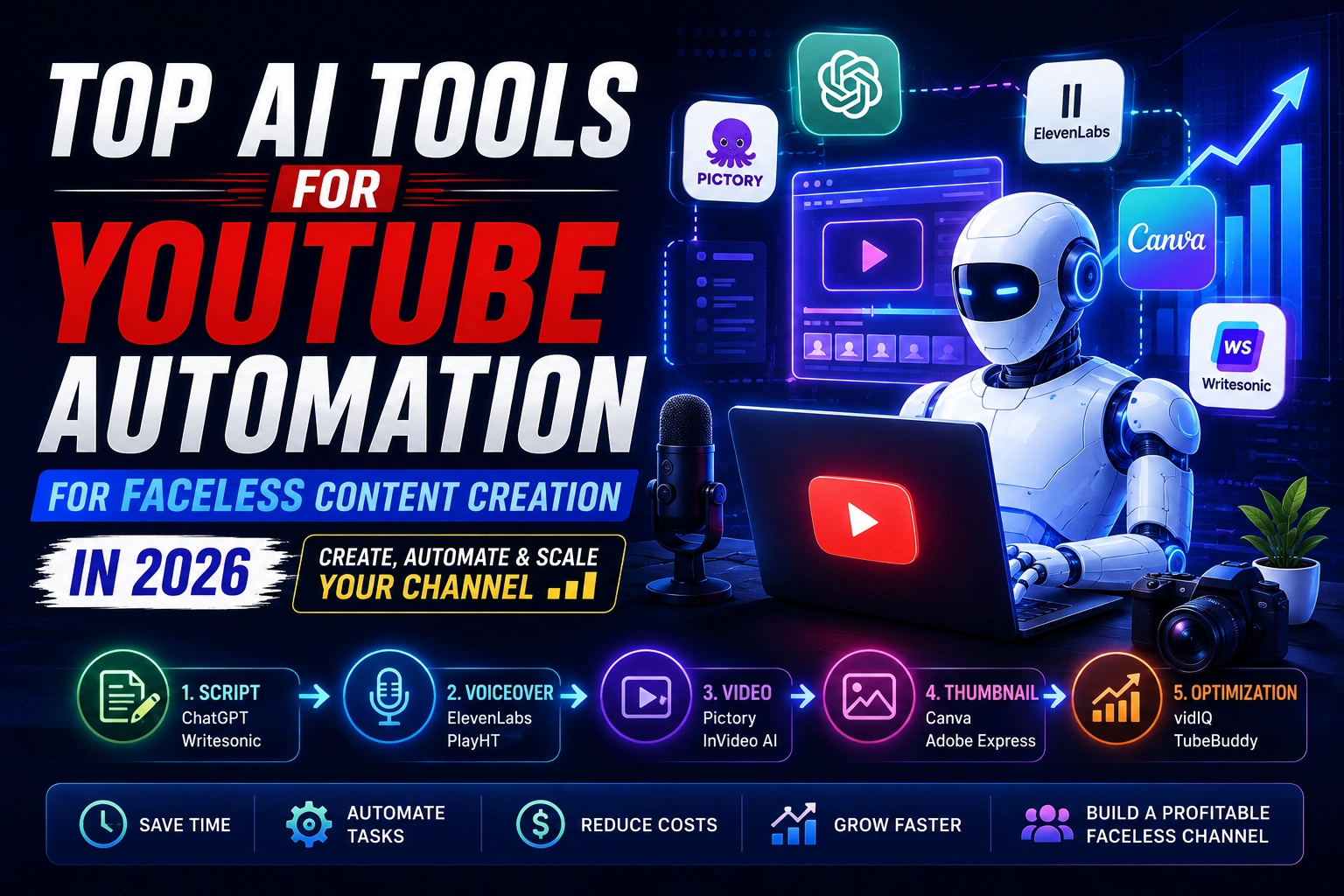
That’s where AI tools for YouTube automation come in. These tools help with scripting, voiceovers, video creation, thumbnails, and even content ideas—making YouTube more accessible for beginners.
In this article, you’ll discover the best AI tools for YouTube automation in 2026, how creators use them, and which tools are best for beginners and faceless channels.
What Is YouTube Automation and How AI Tools Help
YouTube automation means using tools, systems, or AI software to handle repetitive tasks involved in running a YouTube channel. Instead of doing everything manually, creators automate parts of the process to save time and energy like:
- Script writing
- Video editing
- Voiceovers
- Thumbnail creation
- Upload optimization
👉 In 2026, AI tools have made YouTube automation cheaper, faster, and beginner-friendly, even for people with no technical or editing background.
It’s important to understand that automation doesn’t mean “zero effort.” Successful creators still review, edit, and optimize content to keep it high quality and original.
Why YouTube Automation AI Tools are Growing Fast
Creators are adopting AI tools because they remove friction from the content creation process. Instead of burning out, creators can focus on strategy and growth.
AI tools help creators:
- Upload videos consistently
- Save editing time
- Run faceless channels
- Focus on ideas and growth
- Scale multiple channels
AI doesn’t replace creativity—it removes friction.
How to Choose the Right AI Tools for Youtube Automation
Not every AI tool is perfect for every creator. The best tools for YouTube automation depend on your goals, budget, and the type of content you want to produce.
If you are a beginner, start with tools that help with script writing, voice overs, and thumbnails. These save the most time and require the least technical skills. As your channel grows, you can expand into advanced tools for video editing, analytics, and content scaling.
Best YouTube Automation AI Tools in 2026
1. ChatGPT – Best for YouTube Script Writing
ChatGPT is widely used for writing YouTube scripts, hooks, titles, and descriptions.
Best uses:
- Video scripts
- Hook ideas
- Video outlines
- Title and description drafts
Pros
- Free version available
- Very flexible
- Beginner-friendly
Cons
- Needs prompt optimization
- Requires human editing
👉 ChatGPT works best when paired with video tools.
2. Pictory AI – Best for Faceless YouTube Videos
Pictory AI converts scripts or blog posts into videos automatically, making it perfect for faceless channels.
Key features
- Text-to-video
- Automatic captions
- Stock video library
- Blog-to-video conversion
Best for
- Faceless channels
- Shorts & Reels
- Educational content
3. Canva AI – Best for Thumbnails & Branding
Thumbnails decide clicks. Canva AI helps you design eye-catching thumbnails without design skills.
Use Canva for:
- YouTube thumbnails
- Channel banners
- Social media visuals
4. ElevenLabs – Best AI Voice Generator
AI voiceovers are essential for faceless YouTube channels.
Best uses
- Natural-sounding voiceovers
- Multiple accents and tones
- Professional audio quality
👉 Perfect for creators who don’t want to record their own voice.
5. Writesonic – Best for SEO Titles & Descriptions
Writesonic helps optimize:
- Video titles
- Descriptions
- Tags
- YouTube scripts
Other Useful AI Tools for YouTube Automation
While the tools above cover the core YouTube automation workflow, these additional tools can help with AI voiceovers, video creation, thumbnails, keyword research, and channel optimization.
6. PlayHT – Alternative AI Voice Generator
PlayHT is an AI text-to-speech platform that can turn written scripts into natural-sounding voiceovers. It offers multiple voices, languages, accents, and voice styles, making it useful for creators who want to produce narration without recording their own voice.
Best for:
- AI voiceovers for faceless videos
- Narration and explainer videos
- Creators who want an alternative to ElevenLabs
- Producing voice content in multiple languages
Why use it: PlayHT can fit naturally into a faceless YouTube workflow by handling the narration stage after your script is ready.
7. InVideo AI – AI Video Creation
InVideo AI helps creators turn prompts or scripts into complete videos by generating scripts, selecting visuals, adding voiceovers, music, subtitles, and other elements. Its AI workflow can also be used to edit videos through text-based instructions.
Best for:
- Faceless YouTube videos
- Explainer and educational content
- Turning scripts into videos
- Beginners who want an easier video-production workflow
Why use it: Instead of building every part of a video manually, creators can start with an idea or script and let AI handle much of the production process.
8. Adobe Express – AI Thumbnails & Visual Content
Adobe Express is a versatile design and content-creation tool for making social posts, images, videos, and other visual assets. Its AI thumbnail generator can create thumbnail concepts from text prompts and lets creators refine the results with additional prompts or reference images.
Best for:
- YouTube thumbnails
- Channel graphics
- Social media visuals
- Quick AI-assisted designs
Why use it: Adobe Express is useful when you need to create or refine visual content quickly without using a more complex professional design workflow.
9. vidIQ – YouTube SEO & Keyword Research
vidIQ is a YouTube-focused optimization platform that helps creators research keywords, discover content opportunities, and improve video titles, descriptions, and other SEO elements. Its keyword tools provide keyword ideas along with data such as search volume, competition, and trends.
Best for:
- YouTube keyword research
- Finding video topics
- Optimizing titles and descriptions
- Discovering low-competition content opportunities
Why use it: For creators using YouTube automation, vidIQ can help identify what audiences are searching for before investing time in producing a video.
10. TubeBuddy – YouTube Channel Optimization
TubeBuddy provides a collection of tools designed to help creators research keywords, optimize videos, manage their channels, and analyze performance. Its features include Keyword Explorer, SEO tools, thumbnail analysis, A/B testing, competitor analysis, and other channel-management tools.
Best for:
- YouTube SEO
- Keyword research
- Thumbnail and title optimization
- Channel management
- Competitor analysis
Why use it: TubeBuddy can help automate and simplify several optimization tasks, making it useful for creators who want to improve their publishing workflow and channel performance.
Want to streamline your entire YouTube automation workflow? Our AI YouTube Automation Toolkit includes ready-to-use resources and prompts designed to help creators plan, create, and optimize content more efficiently.
How AI Tools Help With Faceless Content Creation
Faceless content creation has become much easier with AI-powered tools. Instead of appearing on camera or handling every part of video production manually, creators can use AI for script writing, voiceovers, video editing, visuals, thumbnails, and content optimization. By combining the right tools into a simple workflow, beginners can create consistent faceless videos while spending less time on repetitive tasks.
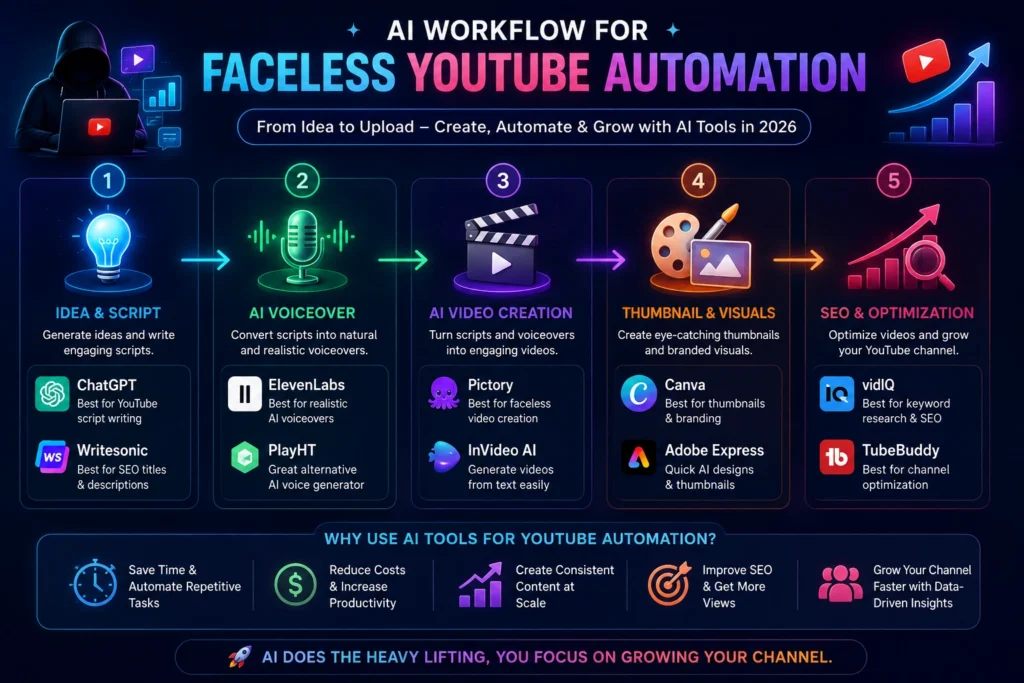
Best AI Tool Combinations for YouTube Automation
Beginner setup
- ChatGPT + Canva + Pictory
Faceless channel
- ChatGPT + ElevenLabs + Pictory
SEO-focused
- Writesonic + Canva
Can You Make Money with AI YouTube Automation?
Yes. Creators monetize through:
- YouTube ads
- Affiliate marketing
- Sponsored videos
- Selling digital products
Consistency + niche focus is key.
Is AI YouTube Automation Safe?
AI tools are safe to use as long as:
- You don’t reuse copyrighted content
- You edit and personalize scripts
- You add value instead of mass-uploading spam
YouTube allows AI-assisted content, but low-effort automation without originality can hurt long-term growth.
Final Thoughts
YouTube automation is no longer a secret strategy in 2026. With the right AI tools, anyone can start and grow a faceless channel faster than ever. Whether you are a beginner or experienced creator, these tools can help you save time, stay consistent, and scale your income online.
Start with one or two tools, learn the workflow, and gradually automate your entire content creation process.
About the Author
Hi, We are the founders of EveryTechHub. We share beginner-friendly guides on AI tools, blogging, and technology based on hands-on testing and real experience. 👉Read more about us.