
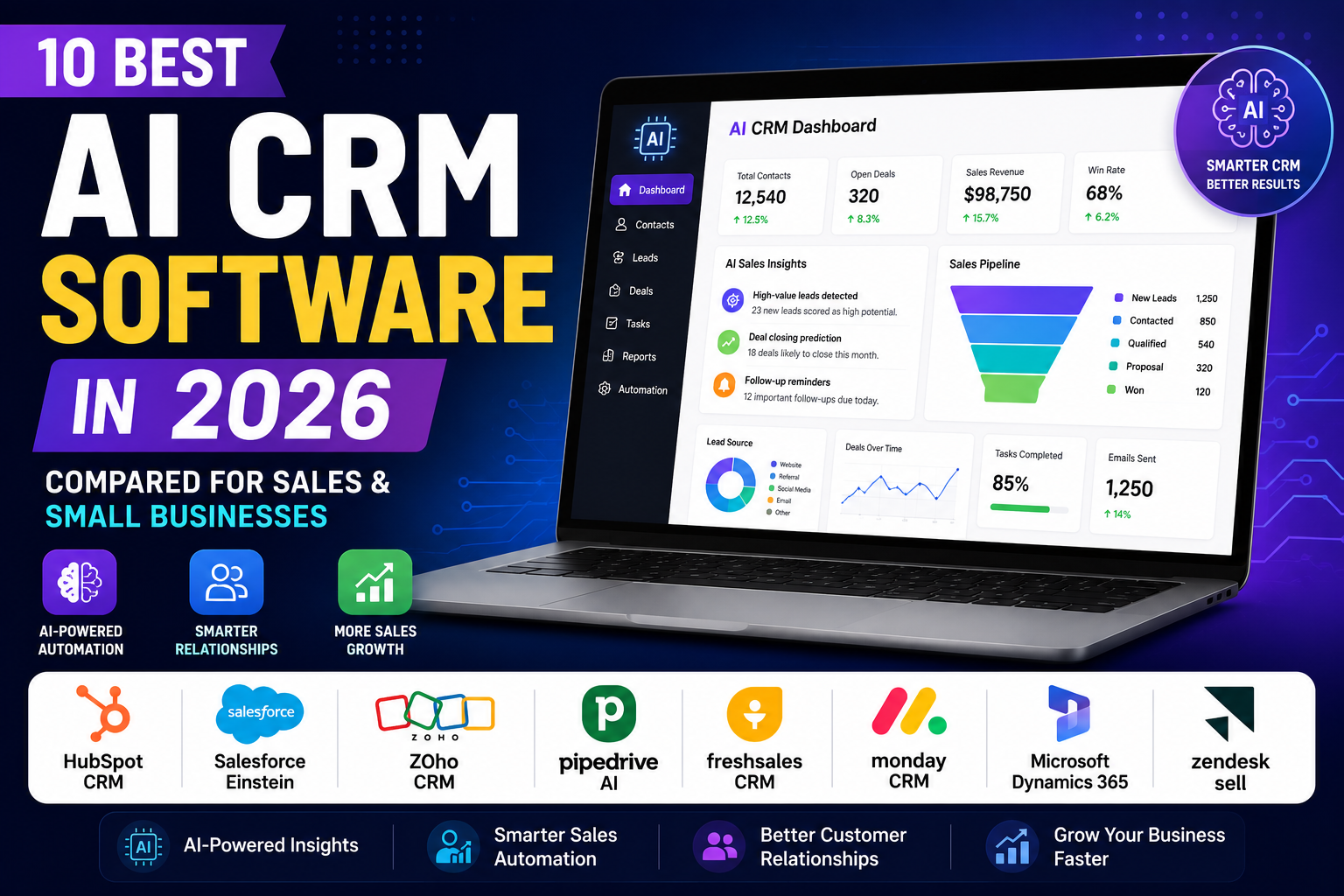
If you’ve spent any time researching sales tools this year, you’ve probably noticed that almost every CRM now claims to be “AI-powered.” That’s not just marketing spin. The best AI CRM software genuinely changes how sales and support teams work, from scoring leads automatically to drafting follow-up emails before a rep even opens their inbox.
But here’s the catch: not every AI CRM is built the same way, and not every business needs the same features. A five-person startup and a 200-seat sales floor have very different requirements, budgets, and tolerance for complexity.
In this guide, we’ll break down the best AI CRM software in 2026, compare their AI capabilities side by side, and help you figure out which platform actually fits your business — not just the one with the flashiest demo video.
Here’s what you’ll learn:
- What AI CRM software actually is and how it differs from traditional CRM
- The real benefits AI brings to sales and customer relationship management
- Detailed reviews of 10 leading AI CRM platforms
- A side-by-side comparison table
- Recommendations by business size and use case
- Common mistakes to avoid when choosing a CRM
- Answers to the most common questions about AI CRM software
Table of Contents
- What Is AI CRM Software?
- Benefits of Using the Best AI CRM Software
- Best AI CRM Software in 2026
- Comparison Table
- Best AI CRM Software for Small Businesses
- Best AI CRM Software for Enterprises
- Best AI CRM Software for Sales Teams
- AI CRM Software vs Traditional CRM
- How to Choose the Best AI CRM Software
- Common Mistakes to Avoid
- The Future of AI CRM Software
- Frequently Asked Questions
- Final Verdict
What Is AI CRM Software?
AI CRM software is customer relationship management software that uses artificial intelligence — machine learning, natural language processing, and predictive analytics — to automate tasks, surface insights, and help sales and support teams make better decisions faster.
A traditional CRM is essentially a digital filing cabinet. It stores contacts, logs deals, and tracks activities, but it doesn’t tell you much beyond what you put into it. AI customer relationship management flips that around. Instead of just storing data, it analyzes it.
Key AI technologies powering modern CRM platforms include:
- Machine learning models that study historical deal data to predict which leads are likely to convert
- Natural language processing (NLP) that reads emails, calls, and support tickets to detect sentiment and intent
- Generative AI that drafts emails, summaries, and reports on demand
- Predictive analytics that forecast revenue and flag deals at risk of stalling
The benefit over traditional CRM is speed and foresight. Instead of a rep manually reviewing 200 leads to decide who to call first, the CRM does that triage automatically — and increasingly, agentic AI features can even take the next action for you, like drafting an outreach sequence or scheduling a follow-up.
Benefits of Using the Best AI CRM Software
Whether you’re a solo freelancer or running a 50-person sales team, AI sales automation delivers a handful of consistent advantages:
- Lead scoring — AI ranks leads based on how likely they are to convert, so reps spend time on the right prospects instead of guessing.
- Sales forecasting — Predictive models analyze pipeline data to give more accurate revenue projections than spreadsheet-based guesswork.
- Workflow automation — Repetitive tasks like data entry, follow-up reminders, and record updates happen automatically.
- Customer insights — AI surfaces patterns in customer behavior that would take a human analyst hours to find manually.
- Personalized communication — Generative AI drafts emails and messages tailored to each contact’s history and stage in the funnel.
- Time savings — Teams report reclaiming several hours per week that used to go toward manual admin work.
- Better customer experience — Faster response times and more relevant outreach translate into happier customers.
- Increased productivity — With less busywork, reps can focus on relationship-building and closing deals.
These benefits are exactly why AI lead management and AI business software have become standard expectations rather than premium add-ons — though, as you’ll see below, “included” and “worth paying extra for” are two very different things depending on the vendor.
A powerful CRM works even better when paired with intelligent support solutions. Check out our guide to the Best AI Tools for Customer Service to discover platforms that can automate customer interactions and improve response times.
Best AI CRM Software in 2026
Below is an honest, feature-by-feature look at 10 of the most established AI CRM platforms on the market. Pricing and AI capabilities change frequently, so always confirm current details on each provider’s official website before subscribing.
1. HubSpot CRM
Overview: HubSpot remains one of the most recognizable names in AI CRM software, largely because its core CRM is free for unlimited users. Its AI suite, branded “Breeze,” is woven throughout the platform’s Marketing, Sales, and Service Hubs.
Key Features:
- Breeze Copilot for AI-assisted writing, research, and task automation
- Breeze Agents that can handle prospecting, content creation, and customer service tasks semi-autonomously
- AI-powered data enrichment that automatically fills in company and contact details
- Predictive lead scoring and forecasting
Pros:
- Genuinely free CRM with no user limit
- Deep AI integration across marketing, sales, and service in one ecosystem
- Strong reporting and automation once you’re on paid tiers
Cons:
- Advanced AI features run on a usage-based credit system that can be hard to predict
- The jump from Starter to Professional pricing is steep
- Onboarding and implementation costs can add up for growing teams
Pricing Overview: Free CRM tools are available indefinitely. Paid Hubs and the Breeze AI credit system add cost on top, with a significant price increase between the entry and Professional tiers. Check HubSpot’s official pricing page for current numbers.
Best For: Small businesses wanting a free entry point with room to scale into marketing and service tools later.
2. Salesforce Einstein
Overview: Salesforce is the CRM industry’s long-standing enterprise leader, and Einstein is its AI layer — covering predictive lead scoring, generative content, and the newer Agentforce autonomous agents.
Key Features:
- Einstein Lead Scoring and Opportunity Insights based on historical pipeline data
- Einstein Conversation Insights for call transcription and coaching
- Generative AI for email drafting, case summaries, and account research
- Agentforce for building autonomous AI agents across sales and service
Pros:
- Extremely powerful for large teams with clean, extensive historical data
- Deep customization and enterprise-grade security
- Broad ecosystem of add-ons and integrations
Cons:
- One of the more expensive CRM platforms, especially once AI add-ons are included
- Predictive AI needs a large volume of historical deals to be genuinely useful, which makes it less valuable for small or new sales teams
- Steeper learning curve and longer implementation timelines
- Pricing Overview: Entry-level Sales Cloud plans start relatively affordable, but AI-enabled tiers and Einstein add-ons push costs considerably higher. A free trial is typically available. Confirm current pricing on Salesforce’s website.
Best For: Mid-size to large enterprises with dedicated CRM administrators and established sales processes.
3. Zoho CRM
Overview: Zoho CRM’s AI assistant, Zia, has been part of the platform since 2017 and has grown into one of the broadest AI toolsets in the CRM space — covering predictions, generative content, image recognition, and conversational analytics.
Key Features:
- Zia lead and deal scoring, churn prediction, and best-time-to-contact suggestions
- Conversational “Ask Zia” analytics that turn plain-language questions into charts
- Smart Prompts for AI-generated emails, summaries, and record insights
- Vision AI for image-based data extraction and duplicate detection
Pros:
- Strong value for money, with AI features bundled into standard licenses on higher plans
- Part of the wider Zoho One ecosystem of 50+ business apps
- Flexible data residency options, useful for GDPR-conscious businesses
Cons:
- Individual AI features are broad but not always as deep as specialist competitors
- Interface can feel less polished than HubSpot or Pipedrive
- Some predictive features need a few weeks of data before they become reliable
Pricing Overview: Zoho CRM offers a free tier for small teams, with paid plans that scale affordably compared to Salesforce and HubSpot. See Zoho’s CRM page for current tiers.
Best For: Budget-conscious small and mid-sized businesses that want broad AI coverage without enterprise pricing.
4. Pipedrive AI
Overview: Pipedrive is a sales-first CRM built around a visual, drag-and-drop pipeline. Its AI Sales Assistant is designed to keep reps focused on the deals most likely to close.
Key Features:
- AI Sales Assistant with win-probability scoring and next-best-action suggestions
- AI email writer and email summarizer for faster outreach and follow-up
- AI-generated reports from plain-language prompts
- Deal-rotting alerts that flag stalled opportunities
Pros:
- Extremely intuitive visual pipeline that requires minimal training
- AI Sales Assistant is available even on the entry-level plan
- Affordable compared to full-suite CRMs like HubSpot or Salesforce
Cons:
- No permanent free plan, only a free trial
- Lighter on marketing automation than all-in-one platforms
- Advanced AI email and reporting tools are reserved for higher tiers
Pricing Overview: Plans are billed per user and scale from an entry-level Lite tier through Growth, Premium, and Ultimate tiers. Visit Pipedrive’s pricing page for current rates.
Best For: Small to mid-sized B2B sales teams that want a focused, visual sales tool rather than a full marketing suite.
5. Freshsales
Overview: Freshsales, part of the Freshworks family, pairs a clean, approachable interface with Freddy AI, an assistant that handles lead scoring, deal insights, and contact enrichment.
Key Features:
- Freddy AI lead scoring based on engagement patterns
- Auto-enrichment that fills in company and contact details from public data
- Built-in phone, email, and chat with AI-assisted next steps
- Duplicate detection and workflow automation
Pros:
- Genuinely usable free plan for very small teams
- Built-in calling reduces the need for a separate dialer tool
- Clean, beginner-friendly interface
Cons:
- Freddy AI’s more advanced features are gated behind Pro and Enterprise tiers, and are sometimes sold as separate add-ons
- Freddy’s accuracy depends heavily on clean CRM data
- Smaller integration marketplace compared to HubSpot or Salesforce
Pricing Overview: A free plan is available for a small number of users, with paid tiers scaling up from there. AI features are concentrated in the Pro and Enterprise plans. Check Freshworks’ CRM pricing for details.
Best For: SMBs and lean sales teams that want built-in calling and a low learning curve.
6. Monday CRM
Overview: Built on the monday.com Work OS, Monday CRM is a highly visual, customizable platform that has expanded rapidly into agentic AI, including an AI Sales Agent that can contact and qualify leads on its own.
Key Features:
- AI Sales Agent for autonomous lead outreach via call, SMS, and email
- AI Lead Agent for prospecting and data enrichment
- AI-powered board columns for summarizing, translating, and detecting sentiment
- Deep customization through boards, automations, and integrations
Pros:
- Best-in-class visual customization for teams that don’t want a rigid CRM structure
- Useful for businesses that also want project management and CRM in one platform
- AI agent features are genuinely ahead of the curve for lead qualification
Cons:
- Not as deep as dedicated sales CRMs for pipeline forecasting and sales sequences
- Automation and integration actions are gated by plan and usage
- Newer AI credit-based pricing model can be confusing to budget for
Pricing Overview: Plans are priced per seat, with a required minimum number of seats. AI features increasingly run on a credit system layered on top of your subscription. See monday.com’s CRM pricing for current numbers.
Best For: Teams that want CRM and broader work management combined in one visual platform.
7. Microsoft Dynamics 365
Overview: Dynamics 365 Sales is Microsoft’s enterprise CRM, tightly integrated with the Microsoft 365 ecosystem and powered by Copilot for AI-driven insights, email drafting, and meeting prep.
Key Features:
- Copilot for Sales, integrated directly into Outlook and Teams
- AI-generated opportunity summaries and account research
- Predictive forecasting grounded in Dynamics and Microsoft Graph data
- Deep integration with Excel, Teams, and Power BI
Pros:
- Best-in-class fit for businesses already standardized on Microsoft 365
- Copilot for Sales is often bundled into higher Dynamics 365 tiers rather than charged separately
- Strong data governance and enterprise security controls
Cons:
- Pricing and licensing structure can be genuinely complex, especially when combining Dynamics and Microsoft 365 Copilot licenses
- Best suited to organizations with IT support for setup and maintenance
- Less appealing for businesses not already in the Microsoft ecosystem
Pricing Overview: Dynamics 365 Sales is priced per user with multiple tiers, and Copilot capabilities are increasingly bundled into premium editions rather than sold as a standalone add-on. Confirm current licensing on Microsoft’s Dynamics 365 site.
Best For: Enterprises already using Microsoft 365, Teams, and Outlook as their core productivity stack.
8. Zendesk Sell
Overview: Zendesk Sell is the sales CRM counterpart to Zendesk’s well-known customer service platform, designed to give sales and support teams a shared view of every customer relationship.
Key Features:
- AI-powered lead scoring based on historical conversion data
- At-risk deal flagging based on engagement and communication patterns
- Built-in power dialer, texting, and email tracking
- Tight integration with Zendesk’s customer service tools for a unified customer timeline
Pros:
- Excellent choice if you already use Zendesk for customer support
- User-friendly interface with a strong mobile app
- Useful AI insights for spotting stalling deals
Cons:
- AI feature depth is less extensive than dedicated sales-AI competitors like Salesforce or HubSpot
- Marketing automation is limited compared to all-in-one platforms
- Zendesk’s broader pricing structure, with numerous add-ons, can get expensive at scale
Pricing Overview: Zendesk Sell is priced per seat with multiple tiers, and is often purchased alongside the broader Zendesk Suite by teams that also need customer support tools. See Zendesk Sell’s official page for current pricing.
Best For: Businesses that want sales and customer support data unified in a single ecosystem.
While this guide focuses on the eight platforms above in depth, it’s worth noting that the “10 best” landscape also commonly includes tools like Insightly and Copper, which cater to Google Workspace-centric teams and project-driven sales processes. If your business runs primarily on Gmail and Google Calendar, they’re worth a look alongside the platforms reviewed here.
Comparison Table
| CRM Software | Best For | AI Features | Ease of Use | Free Plan | Pricing Level | Business Size |
|---|---|---|---|---|---|---|
| HubSpot CRM | All-in-one marketing + sales | Breeze Copilot, Agents, Insights | Easy | Yes | Low–High (credit-based AI) | Small to Enterprise |
| Salesforce Einstein | Enterprise sales operations | Einstein scoring, Agentforce | Moderate–Hard | Limited | High | Mid-market to Enterprise |
| Zoho CRM | Budget-friendly all-round CRM | Zia predictions & generative AI | Moderate | Yes | Low | Small to Mid-size |
| Pipedrive AI | Visual sales pipeline | AI Sales Assistant, email AI | Easy | No (trial only) | Low–Moderate | Small to Mid-size |
| Freshsales | Built-in calling + simplicity | Freddy AI scoring & enrichment | Easy | Yes | Low–Moderate | Small to Mid-size |
| Monday CRM | Visual, customizable workflows | AI Sales/Lead Agents | Easy | No (trial only) | Moderate | Small to Mid-size |
| Microsoft Dynamics 365 | Microsoft 365 ecosystem | Copilot for Sales | Moderate–Hard | No | High | Enterprise |
| Zendesk Sell | Sales + support unification | Lead scoring, deal risk alerts | Easy | No (trial only) | Moderate | Small to Mid-size |
Pricing and feature availability change frequently — always verify current details on each vendor’s official website before purchasing.
Best AI CRM Software for Small Businesses
For small business owners, the priority is usually a low learning curve, a genuine free or low-cost entry point, and AI that works out of the box without a data science team.
Zoho CRM, Freshsales, and HubSpot CRM stand out here. Zoho offers strong bang-for-buck with a functional free tier and bundled AI on paid plans. Freshsales pairs a beginner-friendly interface with built-in calling, which is genuinely useful for small teams that don’t want to buy a separate dialer. HubSpot’s free CRM is hard to beat for businesses that expect to grow into marketing automation down the line.
If you’re launching a new business website, choosing the right CRM is only part of the process. You can also explore our list of the Best AI Website Builders to create a professional website with AI-powered features.
Best AI CRM Software for Enterprises
Large organizations need scalability, deep customization, and robust governance — and they typically have the historical data volume that makes predictive AI genuinely reliable.
Salesforce Einstein remains the benchmark for enterprise AI CRM, particularly for organizations with dedicated Salesforce administrators. Microsoft Dynamics 365 is the natural choice for businesses already standardized on Microsoft 365, Teams, and Outlook, since Copilot for Sales integrates directly into tools employees already use daily.
Best AI CRM Software for Sales Teams
Sales teams that live and breathe their pipeline tend to prefer tools built specifically around deal management rather than broad marketing suites.
Pipedrive AI is purpose-built for this, with its visual pipeline and AI Sales Assistant flagging which deals need attention today. Zendesk Sell is a strong alternative for sales teams that also need tight coordination with a support team. For sales organizations layering in autonomous outreach, Monday CRM’s AI Sales Agent is one of the more forward-looking options currently available.
If you’re looking to grow your online income, combining a powerful AI CRM with the strategies in our Best AI Tools for Affiliate Marketing guide can help you manage leads, build stronger customer relationships, and improve your marketing campaigns.
AI CRM Software vs Traditional CRM
| Factor | AI CRM Software | Traditional CRM |
|---|---|---|
| Automation | Automates lead scoring, follow-ups, and data entry | Requires manual rule-setting and data entry |
| Lead Management | Predictive scoring ranks leads automatically | Manual prioritization based on gut feeling |
| Customer Insights | Surfaces patterns from calls, emails, and behavior | Limited to what’s manually logged |
| Analytics | Predictive forecasting and natural-language reporting | Static, historical reporting only |
| Productivity | Reduces admin time through automation | Higher manual workload for reps |
| Cost | Often higher, especially with AI credit systems | Generally lower, but with hidden labor costs |
| Scalability | Scales insight generation as data grows | Scaling means hiring more analysts |
The bottom line: traditional CRM tools are still perfectly capable of storing and organizing customer data. AI CRM software adds a layer of intelligence on top that helps you act on that data faster.
AI is transforming more than customer relationship management. If you’re curious about how artificial intelligence is reshaping content creation, read our detailed comparison on AI vs Human Content Creation to explore the strengths and limitations of both approaches.
How to Choose the Best AI CRM Software
There’s no single “best” AI CRM software — only the best fit for your specific situation. Consider these factors before committing:
- Business size: A five-person startup rarely needs Salesforce-level complexity. A 300-person sales org will likely outgrow lighter tools like Pipedrive.
- Budget: Factor in not just the base subscription, but AI credits, add-ons, and onboarding fees, which can significantly change the real cost.
- Industry: Some CRMs offer industry-specific features (healthcare compliance, financial services workflows) that matter more than general AI capability.
- Required integrations: Check whether the CRM connects natively with your email provider, phone system, and marketing tools.
- Ease of use: A powerful CRM your team refuses to use isn’t actually powerful. Prioritize adoption over feature count.
- Customer support: Look into response times and support channels, especially if you don’t have in-house IT.
- AI capabilities: Confirm which AI features are included versus paid add-ons — this is where quoted prices often understate the real cost.
- Scalability: Choose a platform that can grow with you, so you’re not migrating CRMs again in 18 months.
To get the most value from your CRM, consider integrating it with email automation software. Read our comparison of the Best AI Email Marketing Tools to find platforms that help you nurture leads and grow customer relationships.
Common Mistakes to Avoid
Even experienced buyers make these CRM software mistakes:
- Choosing only based on price. The cheapest plan often excludes the AI features you actually wanted.
- Ignoring integrations. A CRM that doesn’t connect to your email or calling tool creates more manual work, not less.
- Buying unnecessary features. Enterprise-grade AI is wasted on a team with a small, low-volume pipeline.
- Not considering scalability. Outgrowing a CRM within a year means painful data migration later.
- Poor CRM adoption. The most feature-rich platform fails if your sales team doesn’t actually use it consistently.
The Future of AI CRM Software
Looking ahead, a few trends are shaping where AI customer relationship management is headed:
- Predictive analytics will keep improving as platforms accumulate more historical deal data, making forecasts more reliable.
- AI agents are shifting from suggestion-only tools to systems that can autonomously contact, qualify, and follow up with leads.
- Personalized customer journeys will become more automated, with AI tailoring messaging to individual behavior in real time.
- Voice AI is expanding into call transcription, sentiment analysis, and even AI-assisted live coaching during sales calls.
- Automation trends point toward CRMs that don’t just suggest the next action but take it — with human oversight built in as a safeguard.
Frequently Asked Questions
What is AI CRM software? AI CRM software is customer relationship management software that uses artificial intelligence to automate tasks like lead scoring, forecasting, and email drafting, on top of standard contact and deal management.
Which AI CRM is best for small businesses? Zoho CRM, Freshsales, and HubSpot CRM are generally the best starting points for small businesses due to their free tiers and manageable learning curves.
Is HubSpot CRM free? Yes, HubSpot’s core CRM is free for unlimited users, though many AI and automation features require a paid Hub subscription or AI credits.
What is Salesforce Einstein? Salesforce Einstein is Salesforce’s AI layer, covering predictive lead scoring, generative content, and autonomous AI agents through Agentforce.
Can AI replace CRM? No. AI enhances CRM software by adding automation and insights, but it still relies on a structured CRM database to function effectively.
Which CRM has the best AI features? It depends on your needs. Salesforce Einstein offers the deepest enterprise-grade predictive AI, while HubSpot and Zoho offer the broadest AI feature sets at more accessible price points.
Is AI CRM worth it? For most growing businesses, yes — but only if you’ll actually use the AI features. If your team won’t use predictive scoring or generative drafting, a simpler CRM may save money.
How does AI improve customer relationship management? AI improves CRM by automating repetitive tasks, predicting which leads are most likely to convert, and surfacing customer insights that would otherwise require manual analysis.
Do I need technical skills to use an AI CRM? Most modern AI CRM platforms are designed for non-technical users, though enterprise tools like Salesforce and Dynamics 365 often benefit from a dedicated administrator.
How much does AI CRM software cost? Costs vary widely, from free plans for small teams to enterprise contracts costing well over $100 per user per month once AI add-ons are included. Always check official pricing pages, since AI credit systems and add-on fees change frequently.
Final Verdict
There’s genuinely no universal winner in the best ai crm software category — the right choice depends entirely on your team size, budget, and how deeply you want AI embedded in your daily workflow.
- Beginners and freelancers: Start with Zoho CRM or HubSpot’s free CRM tools.
- Small businesses: Freshsales or Zoho CRM offer the best balance of price and AI capability.
- Startups: Pipedrive AI keeps things simple and sales-focused without unnecessary complexity.
- Enterprises: Salesforce Einstein and Microsoft Dynamics 365 offer the depth and governance larger teams require.
- Sales teams: Pipedrive AI and Zendesk Sell both prioritize pipeline visibility and deal-focused AI.
- Marketing teams: HubSpot CRM remains the strongest choice for teams that want sales and marketing AI under one roof.
If you want to improve customer engagement and reduce response times, pairing your CRM with one of the Best AI Chatbots for Customer Service can help automate support while delivering a better customer experience.
Whichever platform you choose, take advantage of free trials and free plans before committing. The best ai crm software for your business is the one your team will actually use every day — not just the one with the longest feature list.
For more on evaluating tools objectively, see Google’s Search Central guidelines on creating genuinely helpful content.
About the Author
Hi, We are the founders of EveryTechHub. We share beginner-friendly guides on AI tools, blogging, and technology based on hands-on testing and real experience. Read more about us.