
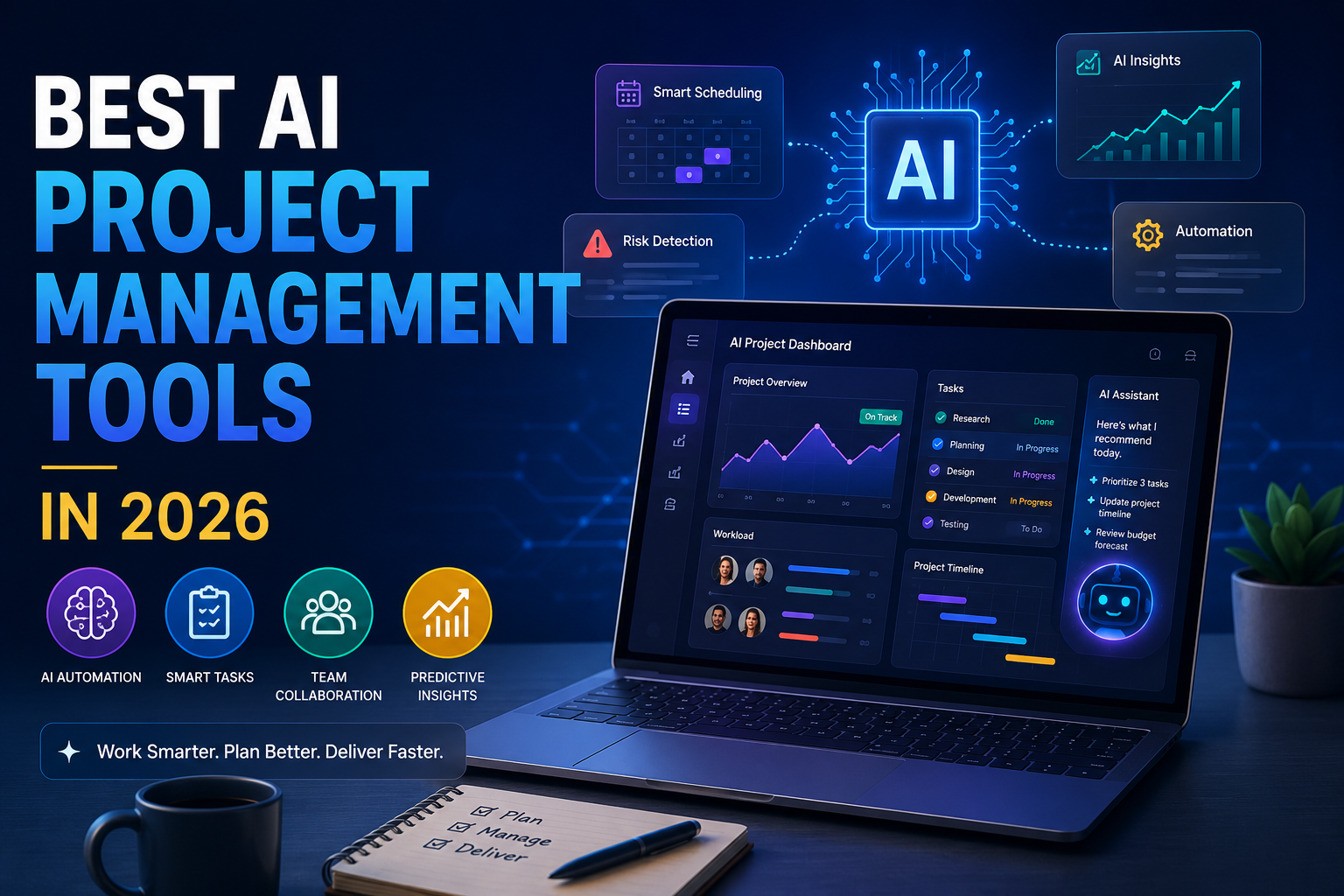
Best AI project management tools are transforming how teams plan, organize, and complete projects in 2026. Whether you’re managing a small business, a remote team, or a large enterprise, AI-powered project management software can automate repetitive tasks, improve collaboration, and increase productivity. In this guide, we’ll compare the best AI project management tools to help you choose the right solution for your needs.
If you managed a project in 2022, you spent half your week doing “work about work”: chasing status updates, rebuilding timelines by hand, writing recap emails nobody read. That grind hasn’t disappeared, but it’s shrunk. AI has quietly taken over the parts of project management that were never really about strategy or judgment in the first place.
In 2026, most serious project management platforms ship with some form of built-in AI — an assistant that drafts a project plan from a one-line prompt, a model that predicts which tasks are about to slip, or an agent that runs recurring reports without anyone lifting a finger. The technology has matured. So has the pricing complexity around it, which is exactly why so many teams end up paying more than they expected.
This guide walks through what “AI project management” actually means in practice, how we evaluated a dozen leading tools, and which one is worth your money depending on your team size, industry, and budget. We’ll cover automation, predictive scheduling, AI assistants, smart reporting, resource allocation, and workflow optimization — the six areas where AI is doing the most real work right now.
A quick note before we dive in: AI features and pricing in this category change fast — sometimes month to month. We’ve verified the details below against vendor pricing pages and recent reporting as of mid-2026, but always double-check current pricing before you buy, especially around AI credits and usage-based add-ons, which are becoming the industry norm.
What Makes AI Project Management Different?
Traditional project management software organizes your work. AI project management software also interprets it. That distinction shows up in a handful of concrete capabilities:
- AI-powered task creation. Describe a project in plain language and the tool generates a structured task list, not just a blank board.
- Automatic prioritization. The software looks at deadlines, dependencies, and workload to suggest what should happen next, instead of leaving prioritization entirely to a human.
- Predictive deadlines. Models trained on your team’s historical velocity flag which due dates are realistic and which ones are quietly doomed.
- Risk detection. AI scans task status, comment sentiment, and update frequency to surface projects at risk of slipping before a human notices.
- Smart notifications. Instead of every mention pinging everyone, AI filters alerts down to what’s actually relevant to each person.
- Meeting summaries. AI notetakers transcribe calls, extract action items, and turn them into assigned tasks automatically.
- Workflow automation. Natural-language rule builders (“when a bug is marked critical, notify the on-call engineer”) replace complex nested logic trees.
- Natural language commands. You can ask a project management tool a question — “what’s blocking the Q3 launch?” — and get a direct answer instead of digging through five different views.
- AI-generated reports. Status updates, portfolio summaries, and executive briefings are drafted automatically from live project data.
None of this replaces a project manager’s judgment. What it does is compress the hours spent on synthesis and reporting, so the humans can spend more time on decisions that actually need a human.
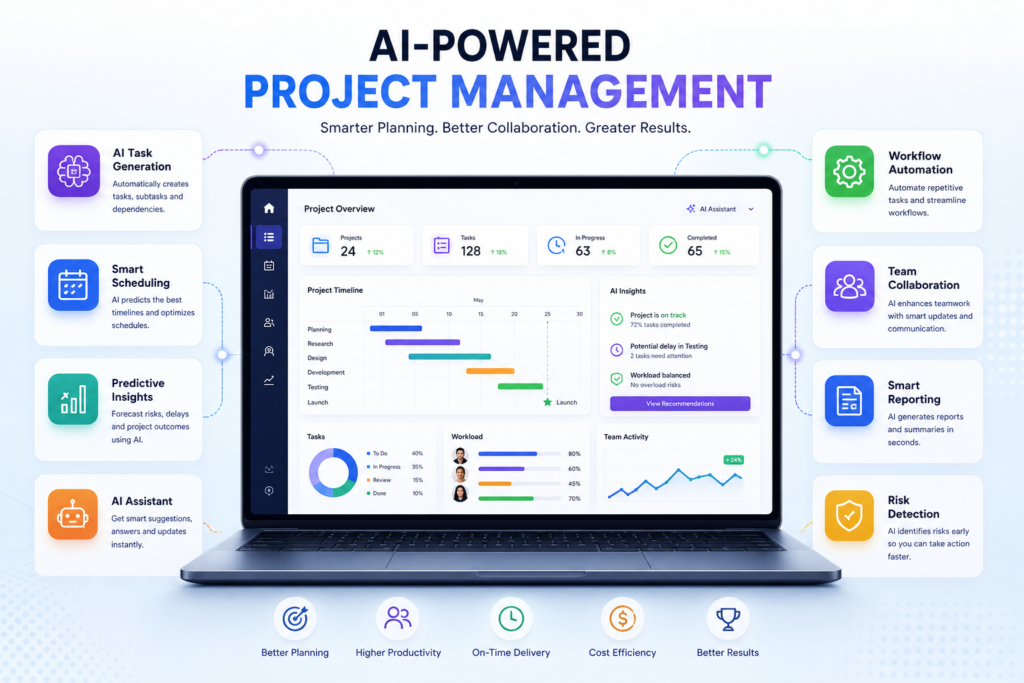
The infographic below illustrates the core AI capabilities that distinguish modern project management platforms from traditional task management software.
How We Evaluated These Tools
We looked at each platform across eleven dimensions:
- AI capabilities — how deep the AI goes beyond a basic chatbot bolted onto the interface
- Ease of use — time to productive adoption for a non-technical team
- Collaboration features — chat, comments, docs, and real-time co-editing
- Automation — no-code rule builders and how far they scale
- Integrations — breadth and depth of third-party connections
- Pricing — list price, but also how AI features are billed (included, add-on, or credit-metered)
- Security — SOC 2, ISO 27001, SSO/SCIM, data residency, and AI-specific data handling
- Mobile apps — feature parity between desktop and mobile
- Scalability — whether the tool holds up from a five-person startup to a 5,000-person enterprise
- Customer support — responsiveness and quality of onboarding
- Best use cases — where each tool has a genuine edge, and where it doesn’t
Key insight: In 2026, the biggest differentiator between AI project management tools isn’t whether they have AI — nearly all of them do now. It’s how the AI is priced. Credit-based consumption models have become the norm, which means the “AI project management tool” you’re comparing isn’t really one price, it’s a base seat cost plus a variable AI bill that depends on usage.
Top AI Project Management Tools in 2026
1. ClickUp
Overview
ClickUp markets itself as the “everything app for work,” bundling tasks, docs, chat, goals, and whiteboards into a single, highly configurable platform.
Key AI Features
ClickUp’s AI layer, called Brain, was rebuilt in mid-2026 as “Brain 2,” adding persistent memory (it remembers your team’s tone and formatting preferences instead of starting fresh each session), automatic routing between multiple frontier models, and autonomous “Super Agents” that can be assigned tasks like a team member. There’s also an AI notetaker for meetings and a desktop app, Brain MAX, that searches across ClickUp, Google Drive, and GitHub in one place.
Pros
- Enormous feature density for a single subscription
- Multi-model AI (routes between leading providers automatically)
- Strong free plan for very small teams
Cons
- AI is a separate paid add-on on every plan, not bundled in
- Steep configuration learning curve
- Guest-to-member conversions can cause surprise billing jumps
Pricing
Free plan available. Paid seat plans run roughly $7–$12 per user/month annually (Unlimited and Business), with Enterprise custom-priced. Brain, the AI layer, is a separate add-on starting around $9/user/month for the standard tier, with a higher “Everything AI” tier around $28/user/month for agents and unlimited automation. AI-heavy actions also draw from a metered credit pool.
Best For
Teams that want maximum feature breadth in one tool and don’t mind investing time in setup.
Integrations
Slack, Google Workspace, GitHub, Figma, Zoom, and hundreds more via native connectors and Zapier.
Why It Stands Out in 2026
ClickUp is one of the few platforms letting users choose between multiple AI models rather than locking them into a single provider, which appeals to teams with strong opinions about model quality.
2. Asana
Overview
Asana remains one of the cleanest project and portfolio management tools on the market, particularly for teams that need to connect daily task work to company-level goals.
Key AI Features
Asana AI Studio is a no-code workflow builder that lets anyone describe an automation in plain language and have Asana build it — categorizing incoming requests, routing approvals, or drafting status updates from live project data. AI Studio ships with a base pool of monthly credits on every paid plan, with paid upgrades for teams running high-volume workflows.
Pros
- AI Studio is included (with usage limits) starting at the entry paid tier, not gated to the top plan
- Strong goal and portfolio tracking for cross-team alignment
- Clean, low-friction interface
Cons
- Per-seat pricing climbs quickly once you add Goals, Portfolios, and Workload management
- Seats sell in increments above five users, so a six-person team pays for ten
- Heavy AI Studio usage can burn through included credits fast
Pricing
Free Personal plan for up to two users. Starter runs about $10.99/user/month annually; Advanced (which unlocks Goals and Workload) is about $24.99/user/month annually. Enterprise is custom, typically starting around $35/user/month. AI Studio credit top-ups are billed separately once you exceed the included allowance.
Best For
Operations-minded teams that need to link execution to strategic goals, and mid-size companies standardizing project intake.
Integrations
Slack, Salesforce, Tableau, Power BI, Microsoft Teams, Google Workspace.
Why It Stands Out in 2026
AI Studio’s no-code workflow builder makes Asana one of the more accessible tools for non-technical staff to build genuinely useful automations, not just simple triggers.
3. monday.com
Overview
monday.com‘s visual, board-based interface has made it a favorite for teams that want flexibility without heavy technical setup, and it now bills itself as an “AI Work Platform.”
Key AI Features
monday’s AI portfolio includes Sidekick (a context-aware assistant), an AI workflow builder, an AI notetaker, and monday agents that can be assigned ongoing responsibilities. Since mid-2026, all of these draw from a single shared pool of AI credits rather than separate add-on purchases, which simplifies billing even if it adds a new variable cost to track.
Pros
- Highly visual, fast to learn for non-technical teams
- Broad AI surface area (formula generation, email drafting, update summaries)
- Bundles CRM and service desk apps on the same platform
Cons
- Paid plans require a minimum of three seats
- AI credits are a separate line item that needs monitoring
- SSO and deeper compliance features are gated to higher tiers
Pricing
Free plan for up to two seats. Paid tiers run roughly $9–$19/user/month annually depending on tier, plus AI credits sold in blocks (starting around 1,000–3,000 credits/month depending on plan). Enterprise is custom.
Best For
Visual thinkers, marketing and operations teams, and businesses that want project management, CRM, and service desk in one system.
Integrations
Slack, Zoom, GitHub, Google Workspace, HubSpot, Microsoft Teams.
Why It Stands Out in 2026
Its unified AI credit system consolidates what used to be a confusing patchwork of individual AI add-ons into one governance dashboard, which enterprise admins have responded well to.
4. Notion AI
Overview
Notion has evolved from a note-taking app into a full workspace, and its AI has followed the same trajectory — from a writing assistant into a system of autonomous agents.
Key AI Features
Notion’s AI Agent can execute multi-step tasks across hundreds of pages: building databases, drafting documents, and searching connected tools like Slack and Google Drive. Custom Agents, introduced in 2026, run on schedules or triggers without a human prompting them each time, and Enterprise Search lets you query across your entire connected stack from one search bar.
Pros
- Full AI access, including agents, bundled into the Business plan rather than sold piecemeal
- Exceptional for knowledge management, documentation, and wikis
- Model-agnostic AI picker (choose between several leading model providers)
Cons
- Not purpose-built for task dependencies or Gantt-style project timelines
- Full AI features require the Business tier, not the cheaper Plus plan
- Custom Agents run on a metered credit system that adds a variable cost
Pricing
Free plan available. Plus runs about $10/user/month annually; Business (needed for full AI) is about $20/user/month annually. Enterprise is custom. Custom Agent usage is billed separately per 1,000 credits.
Best For
Knowledge-heavy teams — professional services, product, and research groups — that live in documents and databases more than task boards.
Integrations
Slack, Google Drive, GitHub, Figma, HubSpot, Salesforce.
Why It Stands Out in 2026
Notion’s agents can act as a genuine second layer of workspace intelligence, but it’s best paired with a dedicated task-management tool for teams whose core bottleneck is deadline tracking rather than documentation.
5. Trello + Atlassian Intelligence
Overview
Trello is still the simplest, most visual Kanban tool on the market, and Atlassian’s AI layer — Atlassian Intelligence — now runs across it.
Key AI Features
On Trello, Atlassian Intelligence powers natural-language automation creation (describe a rule in plain English and it writes the underlying Butler automation), card summarization, and AI-assisted content generation. It’s a lighter implementation than what’s available in Jira, matching Trello’s simpler scope.
Pros
- Cheapest paid entry point among mainstream AI project management tools
- Extremely low learning curve
- Native two-way linking with Jira for mixed technical/non-technical teams
Cons
- AI features are limited to Premium and Enterprise plans
- Less depth than Jira’s AI for complex, data-rich projects
- Not built for heavy cross-team portfolio management
Pricing
Free plan available. Standard is about $5/user/month annually; Premium (which includes Atlassian Intelligence) is about $10/user/month annually; Enterprise starts around $17.50/user/month and scales down at volume.
Best For
Small teams, marketing groups, and non-technical departments that want visual simplicity with light AI assistance.
Integrations
Jira, Confluence, Slack, Google Workspace, GitHub.
Why It Stands Out in 2026
It’s the most affordable way to get genuine Atlassian-grade AI without adopting Jira’s development-first complexity.
6. Jira
Overview
Jira remains the standard for software development teams running Scrum or Kanban at scale, and its AI features benefit from the rich technical metadata development teams generate.
Key AI Features
Atlassian Intelligence in Jira converts natural language into JQL search queries, auto-generates issue descriptions and acceptance criteria, breaks epics into suggested user stories, and — through the Rovo assistant — can search and answer questions across your whole Atlassian ecosystem, including Confluence documentation.
Pros
- Deepest AI feature set for technical teams of the tools reviewed here
- Tight integration with CI/CD pipelines, Bitbucket, and GitHub
- Scales cleanly from small dev teams to large engineering organizations
Cons
- AI features are locked behind the Premium tier, a meaningful price jump from Standard
- Steeper learning curve than Trello or Asana for non-technical users
- Best value requires also paying for Confluence and, often, Atlassian Access
Pricing
Free for up to 10 users. Standard runs roughly $8/user/month annually; Premium (required for AI) is around $14.50/user/month annually; Enterprise is custom, typically bundling Confluence and SSO/SCIM.
Best For
Software development teams, product organizations, and any team running structured sprints with dependencies on code repositories.
Integrations
Bitbucket, GitHub, Confluence, Slack, Figma, Microsoft Teams.
Why It Stands Out in 2026
Because Jira’s underlying data is richer than a typical task board, its AI has more context to work with — natural-language JQL alone saves real time for teams who used to dread writing complex queries.
7. Wrike
Overview
Wrike targets mid-market and enterprise teams that need heavier resource planning, approval workflows, and portfolio-level visibility than lighter tools provide.
Key AI Features
Wrike Copilot answers questions and summarizes work directly inside projects. AI Essentials (content generation, comment summaries, natural-language automation rules) are included free on paid plans, while “AI Elite” — deeper agentic automation — is metered by usage-based AI actions, with packages available for high-volume teams.
Pros
- Strong resource and capacity planning for complex, cross-functional projects
- Cross-tagging lets tasks live in multiple projects simultaneously
- Object-oriented API favored by developers for custom integrations
Cons
- Business-tier pricing requires annual prepayment
- Seat purchases round up in bands above 100 users, inflating costs
- AI Elite usage pricing has been in flux through 2026
Pricing
Free plan available. Team plans run around $10/user/month annually; Business is about $25/user/month annually; Pinnacle and the top-tier Apex plan scale up from there, both largely custom-quoted for larger teams.
Best For
PMOs, marketing agencies, and enterprise teams that need heavy approval chains and resource forecasting.
Integrations
Salesforce, Microsoft Teams, Adobe Creative Cloud, Slack, Tableau.
Why It Stands Out in 2026
Wrike’s proofing and markup tools, combined with AI-assisted summarization, make it a strong pick for creative and marketing teams juggling review cycles across many stakeholders.
8. Smartsheet
Overview
Smartsheet bridges the gap between a spreadsheet and a full project management platform, which makes it an easy transition for Excel-heavy teams.
Key AI Features
Smartsheet’s AI can generate formulas and SQL-style queries from plain-English prompts, summarize sheet data into charts and insights, and automate multi-step workflows without requiring a dedicated administrator to build them from scratch.
Pros
- Familiar grid interface reduces onboarding time for spreadsheet-native teams
- Strong automation engine for multi-step approval and notification workflows
- Real-time resource capacity visibility across large portfolios
Cons
- Enterprise contracts can run significantly higher than list price once add-ons are included
- Less visually intuitive than board-first tools like monday.com or Trello
- AI feature depth trails ClickUp and Notion in a head-to-head comparison
Pricing
Plans generally start around $12/user/month for entry tiers, scaling into custom enterprise contracts that, based on market benchmarking data, often land well above $100,000/year for larger deployments.
Best For
Enterprise operations teams, finance departments, and any organization migrating off spreadsheet-based tracking.
Integrations
Microsoft Excel, Google Sheets, Tableau, Salesforce, Jira.
Why It Stands Out in 2026
For teams that think natively in rows and columns, Smartsheet’s AI formula generation removes one of the biggest barriers to adoption: needing a spreadsheet expert on staff.
9. Teamwork.com
Overview
Teamwork.com is purpose-built for agencies and professional services firms that need project management bundled with client billing and financial tracking.
Key AI Features
Teamwork’s built-in AI assistant helps draft project plans, summarize task threads, and generate client-ready status updates. As of 2026, AI is included across paid plans during an introductory period, with usage-based AI credits planned to roll out later in the year.
Pros
- Financial tracking (budgets, billable hours, invoicing) built directly into the PM tool
- Generous free plan for very small teams
- Designed specifically around client-facing agency workflows
Cons
- Smaller ecosystem of integrations than ClickUp or Asana
- AI feature set is less mature than the larger platforms on this list
- Usage-based AI billing is expected to start later in 2026, so costs may shift
Pricing
Free plan for up to five users. Paid tiers scale from a low per-user monthly rate up through enterprise-level plans with unlimited client users; exact current pricing should be confirmed on Teamwork’s site given the upcoming AI billing change.
Best For
Agencies and professional services firms that bill clients by the hour or project and need financial visibility alongside task tracking.
Integrations
Slack, HubSpot, Microsoft Teams, Google Drive, QuickBooks.
Why It Stands Out in 2026
It’s one of the few tools on this list where project management and client billing genuinely live in the same system, rather than requiring a second tool for invoicing.
10. Motion
Overview
Motion takes a different approach entirely: instead of a task board, its core product is an AI engine that automatically schedules your work onto your calendar.
Key AI Features
Motion’s AI Auto-Scheduler continuously places tasks into calendar slots based on deadlines, priorities, and availability, then reshuffles everything in real time when a meeting gets added or a deadline shifts. In 2026 the company expanded into “AI Employees” — agent-style assistants that can triage inboxes, draft meeting summaries, and keep project details current without manual input.
Pros
- The most aggressive, hands-off auto-scheduling of any tool in this category
- Genuinely useful for solo consultants and freelancers juggling multiple clients
- Meeting notetaker and AI Employees add real automation beyond scheduling
Cons
- No free plan, only a short trial
- Premium pricing relative to feature depth compared to full PM suites
- Less mature as a team collaboration tool than ClickUp, Asana, or monday.com
Pricing
No free tier. Individual “Pro AI” plans run roughly $12–$19/user/month depending on billing cycle; team “Business AI” plans run about $19–$29/user/month, with higher-tier AI Employee plans priced separately for heavier automation needs.
Best For
Freelancers, consultants, and small teams whose main pain point is calendar chaos rather than large-scale project coordination.
Integrations
Google Calendar, Microsoft Outlook, Zoom, Slack, Zapier.
Why It Stands Out in 2026
No other tool on this list treats the calendar itself as the primary interface for AI-driven planning — it’s a genuinely different mental model from board- or list-based project management.
11. Height
Overview
Height is a smaller, engineering-and-product-focused tool built around an embedded AI engine that autonomously handles routine project upkeep.
Key AI Features
Height’s AI can triage incoming bugs, refine and groom a backlog, and keep documentation in sync with project changes — largely without a human initiating each action.
Pros
- Genuinely autonomous handling of repetitive project hygiene tasks
- Clean, modern interface favored by product and engineering teams
- Solid integrations with developer tools like GitHub, GitLab, and Figma
Cons
- Smaller integration ecosystem than the major platforms
- Lacks native time tracking
- Less established for non-technical departments (marketing, sales, operations)
Pricing
A free plan is available for small teams, with paid team plans starting at a modest per-user monthly rate; check Height’s site directly, as public pricing details are less consistently published than larger competitors.
Best For
Product and engineering teams that want lightweight, AI-assisted backlog management without Jira’s overhead.
Integrations
GitHub, GitLab, Figma, Slack, Discord, Notion.
Why It Stands Out in 2026
Its AI is narrower in scope than ClickUp Brain or Notion AI, but what it does — bug triage and backlog grooming — it does with less manual setup than most competitors.
12. Hive
Overview
Hive positions itself as an all-in-one project management and collaboration platform, with a particular emphasis on native CRM-style integrations.
Key AI Features
Hive’s AI assistant, sometimes referred to as Buzz or HiveMind depending on the release, automates routine task creation, drafts email replies, and answers questions using your team’s actual workspace data rather than generic web knowledge.
Pros
- Flexible views (Gantt, Kanban, calendar, table) in one workspace
- Native Salesforce and email integrations tie project work to customer data
- Reasonably priced entry tier with no seat minimum
Cons
- Advanced features (proofing, timesheets, resourcing, and the full AI assistant) are often sold as separate add-ons
- Mobile app lags behind the desktop experience
- AI feature depth is lighter than ClickUp or Notion
Pricing
Free plan for up to 10 members. Starter is about $5/user/month annually; Teams is about $12/user/month annually; Enterprise is custom. AI features are typically an additional add-on cost.
Best For
Small to mid-size teams that want a flexible, moderately priced all-in-one tool with light AI assistance and strong native CRM-adjacent integrations.
Integrations
Salesforce, Gmail, Microsoft Teams, Google Drive, Jira, QuickBooks.
Why It Stands Out in 2026
Hive’s low entry price and lack of a seat minimum make it one of the more accessible options for small teams that still want AI-assisted task creation.
Comparison Table
| Tool | Best For | AI Features | Free Plan | Starting Price (paid) | Rating |
|---|---|---|---|---|---|
| ClickUp | Feature breadth, all-in-one teams | Brain 2, Super Agents, multi-model routing | Yes | ~$7/user/mo + AI add-on from ~$9/user/mo | 4.1/5 |
| Asana | Goal-to-execution alignment | AI Studio no-code workflow builder | Yes (2 users) | ~$10.99/user/mo | 4.4/5 |
| monday.com | Visual, cross-functional teams | Sidekick, AI agents, unified credit system | Yes (2 seats) | ~$9/user/mo + AI credits | 4.7/5 |
| Notion AI | Knowledge management & docs | Autonomous Agents, Custom Agents, Enterprise Search | Yes | ~$10/user/mo (full AI needs Business, ~$20) | 4.5/5 |
| Trello + Atlassian Intelligence | Simple visual boards | NL automation, card summaries | Yes | ~$5/user/mo (AI needs Premium, ~$10) | 4.4/5 |
| Jira | Software development teams | JQL from natural language, Rovo assistant | Yes (10 users) | ~$8/user/mo (AI needs Premium, ~$14.50) | 4.3/5 |
| Wrike | Enterprise resource planning | Copilot, AI Essentials + metered AI Elite | Yes | ~$10/user/mo | 4.2/5 |
| Smartsheet | Spreadsheet-native enterprises | Formula/SQL generation, workflow automation | Limited trial | ~$12/user/mo | 4.1/5 |
| Teamwork.com | Agencies & client billing | AI assistant, status drafting | Yes (5 users) | Low per-user entry tier | 4.4/5 |
| Motion | Solo calendar automation | Auto-Scheduler, AI Employees | No | ~$12–19/user/mo | 4.2/5 |
| Height | Engineering backlog hygiene | Autonomous bug triage & grooming | Yes | Modest per-user rate | 4.0/5 |
| Hive | Small/mid teams, CRM-adjacent PM | Buzz/HiveMind assistant | Yes (10 members) | ~$5/user/mo | 4.1/5 |
Ratings are approximate composites based on public review platforms and are directional, not precise. Pricing reflects list rates as of mid-2026 and is subject to change — always confirm on the vendor’s current pricing page, especially for AI credit costs.
Best AI Project Management Tool for Different Needs
- Small businesses: monday.com or ClickUp. Both offer visual, fast-to-adopt boards with genuinely useful AI at an accessible entry price.
- Freelancers: Motion, if calendar chaos is your main problem, or Trello if you just need simple visual task tracking.
- Agencies: Teamwork.com, because it’s one of the only tools that bundles client billing with project management natively.
- Startups: ClickUp or Asana. ClickUp for teams that want everything in one tool; Asana for teams that need to connect execution to company goals early.
- Enterprise: Smartsheet or Wrike, both built around governance, resource planning, and compliance at scale.
- Developers: Jira, without much competition, given its depth around sprints, code integrations, and technical AI features. Height is a strong lighter-weight alternative.
- Marketing teams: monday.com or Wrike, both strong on visual planning and creative review/approval workflows.
- Remote teams: Asana or ClickUp, thanks to async status updates, AI-generated recaps, and strong mobile parity.
- Construction: Smartsheet, given its enterprise-grade resource planning and familiarity for teams already using spreadsheets for scheduling.
- IT teams: Jira Service Management (via Atlassian Intelligence) for ticket triage and Wrike for cross-functional IT project coordination.
AI Features You Should Look For
When comparing tools, prioritize:
- A genuine AI assistant that can answer questions about your actual project data, not just generate generic text
- Automatic task generation from plain-language project descriptions
- Smart scheduling that accounts for dependencies and team capacity, not just due dates
- Predictive analytics that flag at-risk tasks before they’re late
- Risk forecasting based on historical velocity and current workload
- Time tracking that’s AI-assisted (auto-categorizing logged hours) rather than fully manual
- AI reporting that drafts stakeholder-ready summaries automatically
- Workflow automation with a natural-language rule builder
- Resource management that surfaces overallocation before it becomes a crisis
- Meeting transcription with automatic action-item extraction
- AI search across your entire workspace, not just individual boards
- Knowledge management that keeps documentation current as projects evolve
The latest advancements in generative AI and intelligent automation are explained in detail by OpenAI’s official resources.
Benefits of AI Project Management
Teams that adopt these tools consistently report:
- Time savings on status updates, reporting, and administrative task creation
- Better collaboration through AI-generated summaries that keep distributed and async teams aligned
- Reduced manual work, particularly around recurring reports and repetitive task setup
- Improved planning thanks to AI-suggested project structures and templates
- Increased productivity by removing friction from finding information and drafting updates
- Better forecasting using historical data rather than gut-feel estimates
- Fewer missed deadlines, since predictive models flag risk earlier than a human reviewing a status meeting would
- Better resource allocation, with AI surfacing who’s overloaded before it causes burnout or delays
Potential Limitations
AI project management tools aren’t a silver bullet. Some honest caveats:
- Learning curve. The more powerful the AI, the more setup and configuration it usually requires to work well (ClickUp and Wrike are notable here).
- Privacy concerns. AI features often process your project data through third-party model providers. Check each vendor’s data retention and training policies before rolling out AI broadly, especially in regulated industries.
- AI inaccuracies. Generated status reports, summaries, and task suggestions can be wrong or generic if the underlying project data is incomplete or messy. AI output should be reviewed, not rubber-stamped.
- Cost. Credit-based AI billing is quickly becoming standard across this category, and heavy AI users can end up paying significantly more than the advertised seat price suggests.
- Over-automation. Automating too much too fast can create workflows nobody fully understands or can debug when something breaks.
- Dependence on integrations. Much of the AI’s usefulness depends on how well it’s connected to your other tools (Slack, GitHub, Google Drive). A poorly integrated setup gets a fraction of the value.
Balanced take: The tools with the most impressive AI demos aren’t always the best fit. A five-person startup rarely needs autonomous agents; it needs a clean board and a couple of automations that just work. Match the AI depth to your actual complexity, not the vendor’s marketing page.
Tips for Choosing the Right AI Project Management Tool
- Company size: Smaller teams benefit from simpler, visual tools (Trello, monday.com); larger teams need governance and resource planning (Smartsheet, Wrike).
- Budget: Model the real cost, including AI add-ons and credit consumption, not just the advertised seat price.
- Industry: Development teams should default toward Jira or Height; agencies toward Teamwork.com; spreadsheet-heavy industries toward Smartsheet.
- Remote work: Prioritize tools with strong async reporting and mobile AI parity — Asana and Notion both do this well.
- Integrations: Map your existing stack (Slack, GitHub, Salesforce, Google Workspace) before picking a tool, since AI usefulness depends heavily on connected data.
- Automation needs: If your team needs deep, multi-step automations, prioritize tools with mature no-code builders (Asana AI Studio, ClickUp Brain).
- Reporting: If leadership wants regular portfolio-level dashboards, Wrike and Smartsheet are built for that; lighter tools may require manual setup.
- Scalability: Confirm the tool’s enterprise tier actually includes what you’ll eventually need (SSO, audit logs, data residency) rather than assuming it will.
- Security: Ask directly about AI-specific data handling — whether your data trains vendor models, and whether zero-retention options exist for regulated data.
- Customer support: For mission-critical rollouts, weigh the availability of live support and onboarding resources, not just self-serve documentation.
Future of AI Project Management
Looking beyond 2026, a few trends are already taking shape:
- AI project managers. Early versions of fully autonomous “AI PM” agents that manage entire small projects with light human oversight are emerging, though they remain best suited to well-defined, repetitive work rather than judgment-heavy initiatives.
- Autonomous workflows. Agents that don’t just execute a rule but decide which rule to apply based on context.
- Predictive budgeting. AI models that forecast project spend based on historical burn rate, not just static budgets.
- Voice-powered management. Natural-language voice commands for updating tasks and checking status, especially on mobile.
- Generative AI planning. Entire project plans, timelines, and resourcing models generated from a short brief.
- AI meeting assistants. Increasingly standard across the category — expect near-universal adoption of AI notetakers by 2027.
- Digital coworkers. Named AI “employees” (as seen in ClickUp’s Super Agents and Motion’s AI Employees) that get assigned recurring responsibilities like a human teammate.
- Agentic AI. The shift from AI that suggests to AI that acts — the theme running through nearly every major 2026 product release in this space.
- Real-time forecasting. Continuous, always-on risk and timeline forecasting rather than static weekly reports.
Frequently Asked Questions
What is AI project management? It’s project management software that uses artificial intelligence to automate tasks like scheduling, status reporting, risk detection, and task creation — reducing the manual coordination work a project manager or team lead would otherwise do by hand.
Which AI project management tool is best? There’s no single best tool — it depends on your team. ClickUp and monday.com are strong generalist picks; Jira wins for software teams; Asana wins for goal-driven organizations; Notion wins for knowledge-heavy teams.
Is ClickUp AI worth it? For teams that already use ClickUp heavily, the Brain add-on is generally worth it for the multi-model access and Super Agents. For light users, the added per-seat cost may not pay for itself.
Can AI replace project managers? Not currently. AI is very good at synthesis, drafting, and pattern detection, but it doesn’t replace the judgment, negotiation, and stakeholder management a human project manager provides.
Which tool is best for startups? ClickUp for teams that want one tool to do everything, or Asana for startups that want to tie early execution to long-term goals from day one.
Which software has the best AI assistant? Notion AI and ClickUp Brain are generally considered the most capable in 2026, each with autonomous, multi-step agent capabilities, though they take different approaches (documents vs. tasks).
Are AI project management tools secure? Most major vendors hold SOC 2 and ISO 27001 certifications and offer zero-retention or no-training options for enterprise plans. Always confirm the specific data handling policy for AI features, since it can differ from the platform’s general security posture.
Is there a free AI project management tool? Most tools on this list offer a free tier (ClickUp, Asana, monday.com, Notion, Trello, Jira, Teamwork.com, Height, Hive), though full AI features are almost always reserved for paid plans.
Which tool is best for remote teams? Asana and Notion both handle async status reporting and mobile AI features well, which matters more for distributed teams than any single feature.
How much do AI project management tools cost? Entry-level paid plans typically run $5–$15 per user per month, with AI either included at a base tier or sold as a $9–$28 per user per month add-on. Heavier AI usage often draws from metered credit pools that can add a meaningful variable cost on top of the seat price.
Conclusion
There isn’t one “best” AI project management tool in 2026 — there’s a best tool for your specific team, budget, and workflow.
- Beginners and small teams: Start with monday.com or Trello for a gentle learning curve with real AI assistance.
- Small businesses: ClickUp offers the most features per dollar if you’re willing to invest setup time.
- Enterprises: Smartsheet and Wrike are built for the governance, resourcing, and compliance needs at scale.
- Agencies: Teamwork.com remains the strongest fit for client-billed, professional-services work.
- Developers: Jira is still the category standard, with Height as a lighter-weight alternative for smaller product teams.
The common thread across every strong pick on this list: the AI works best when it’s layered on top of solid project management fundamentals, not used as a substitute for them.
Call to action: Before committing to a subscription, map your team’s actual workflow bottlenecks — is it reporting, scheduling, communication, or task tracking? — and start a free trial of the tool that addresses that specific problem first. Most of the platforms above offer a no-cost way to test their AI features with your real projects before you pay for a full year.
About the Author
Hi, We are the founders of EveryTechHub. We share beginner-friendly guides on AI tools, blogging, and technology based on hands-on testing and real experience. Read more about us.