
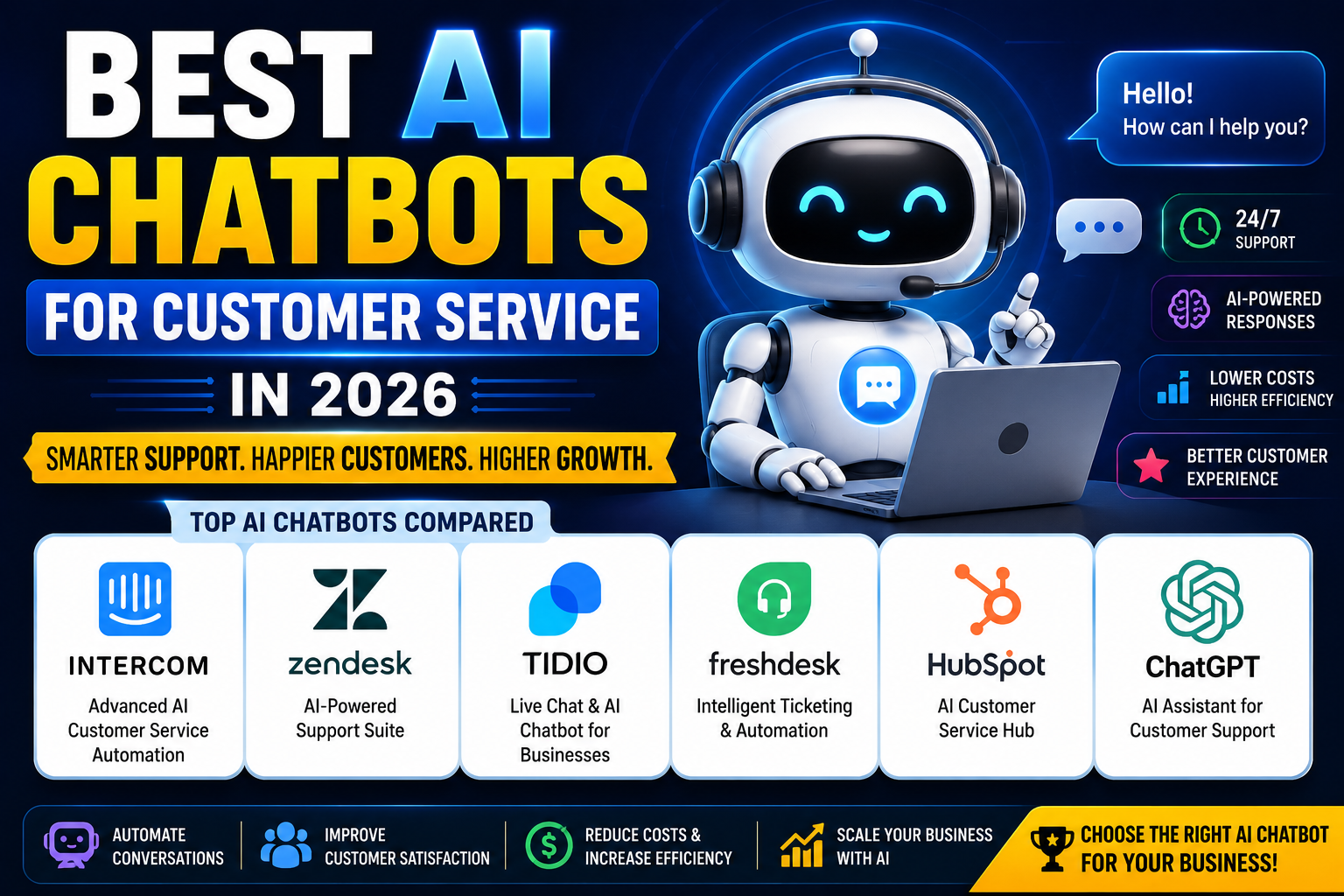
Introduction
If you’re running a business in 2026, you’ve probably already asked yourself: what are the best AI chatbots for customer service? And honestly, you’re not alone — millions of business owners are asking the same question right now.
Customer expectations have shifted dramatically over the past few years. People want instant answers. They don’t want to wait 24 hours for an email reply or sit on hold for 20 minutes. They want help now — at 2 AM on a Sunday if needed.
That’s where AI chatbots come in.
The AI customer service market has exploded. According to recent estimates, the global chatbot market is on track to surpass $27 billion by 2030 — and a huge chunk of that growth is driven by businesses replacing (or supplementing) traditional support with AI-powered tools.
In this guide, you’ll learn:
- What AI chatbots for customer service actually are and how they work
- Why businesses of all sizes are adopting them in 2026
- A deep dive into the top tools available today
- How to choose the right one for your specific business needs
- Common mistakes to avoid and what the future holds
Whether you’re a solo entrepreneur, a growing SaaS company, or an e-commerce store fielding hundreds of daily queries — there’s something here for you. Let’s get into it.
What Are AI Chatbots for Customer Service?
At their core, AI chatbots for customer service are software programs that simulate human conversation to help customers get answers, resolve issues, and complete tasks — without needing a live agent to step in every time.
Unlike older rule-based bots (those clunky “press 1 for billing, press 2 for returns” type systems), modern AI chatbots use large language models (LLMs), natural language processing (NLP), and machine learning. They can actually understand what someone is asking — even when it’s worded in a weird or unexpected way.
Here’s how they typically work in a business context:
- A customer visits your website or opens your app and types a question into a chat widget
- The AI processes the message, pulls from your knowledge base or product data, and generates a relevant response
- If it can’t resolve the issue, it routes the conversation to a human agent — seamlessly, with full context
- Every conversation is logged and can be used to improve the bot over time
Compared to traditional support, AI chatbots are faster, cheaper to scale, and available around the clock. They’re not perfect replacements for human agents — but in 2026, they’ve become an essential first layer of any customer support strategy.
Why Businesses Are Using AI Chatbots in 2026
The adoption of AI in customer service isn’t just a trend — it’s a genuine business shift. Here’s why companies everywhere are making the switch:
24/7 Availability Without Extra Staffing
Your customers don’t work 9-to-5. With an AI chatbot, neither does your support team — at least not entirely. A well-configured bot can handle the majority of after-hours queries, meaning customers get help instantly rather than waiting until Monday morning.
Faster Response Times
Speed is everything in customer service. Studies consistently show that fast response times directly impact customer satisfaction and retention. AI chatbots respond in milliseconds — no queue, no wait.
Significantly Lower Support Costs
Hiring, training, and managing a customer support team is expensive. AI chatbots can handle hundreds of simultaneous conversations at a fraction of the cost. For small businesses especially, this is a game-changer.
Better Customer Experience (When Done Right)
A good AI chatbot doesn’t feel robotic. In 2026, the best tools feel conversational, helpful, and personalized. When customers get the right answer quickly, their perception of your brand improves — even if they never spoke to a human.
Intelligent Automation
Beyond just answering questions, today’s AI chatbots can trigger automated workflows — updating orders, processing refunds, scheduling callbacks, creating support tickets, and more. This saves time on both ends.
Best AI Chatbots for Customer Service in 2026
Here’s a detailed look at the top tools dominating the customer service space this year.
1. Intercom AI
Overview
Intercom has long been one of the most popular customer messaging platforms, and in 2026, its AI capabilities have made it a top contender for businesses that want a polished, scalable solution. Their AI agent, Fin, is built on GPT-4 and can resolve a significant percentage of customer queries without any human involvement.
What sets Intercom apart is how well it blends AI automation with the human touch. It’s not just a chatbot — it’s a full customer communication platform.
Key Features
- Fin AI Agent — resolves queries automatically using your help center content
- Inbox — unified inbox for AI + human conversations
- Proactive messaging — reach out to customers before they need to contact you
- AI-powered summaries — condenses long conversations for agents
- Custom workflows — automate routing, tagging, and responses
- Integrations — Salesforce, HubSpot, Slack, Stripe, and hundreds more
Best For
Mid-size to enterprise businesses, SaaS companies, and teams that want AI and human support to work together seamlessly.
Pros
- Extremely polished UI
- Fin AI has high resolution rates
- Deep integration ecosystem
- Regular feature updates
Cons
- Can be pricey for smaller businesses
- Learning curve for full setup
- Pricing is not always transparent upfront
Pricing
Intercom’s pricing starts around $39/month for small teams, but for full AI features (including Fin), plans typically start at $74/month+, with usage-based pricing for AI resolutions.
2. Zendesk AI
Overview
Zendesk is one of the most recognized names in customer service software — and for good reason. In recent years, they’ve invested heavily in AI, launching Zendesk AI features including intelligent triage, automated responses, and an AI agent that can handle full conversations end-to-end.
If you’re already using Zendesk for ticketing, adding their AI layer is a natural upgrade.
Key Features
- AI agents — fully autonomous bots for common queries
- Intelligent triage — automatically routes tickets to the right team or person
- AI-generated replies — suggests responses to agents based on context
- Knowledge base integration — draws from your help center content
- Analytics dashboard — tracks bot performance and CSAT scores
- Omnichannel support — web, email, phone, social, and chat
Best For
Medium to enterprise businesses already using the Zendesk ecosystem, and companies with high ticket volumes.
Pros
- Excellent omnichannel support
- Strong reporting and analytics
- Highly scalable
- Trusted enterprise-grade platform
Cons
- Pricing can get expensive as you scale
- AI features require higher-tier plans
- Setup can be complex for beginners
Pricing
Zendesk plans start at around $55/agent/month for the Suite Team tier. AI add-ons vary based on usage and plan level.
3. Tidio AI
Overview
If you’re a small business owner or e-commerce store looking for an affordable, beginner-friendly AI chatbot, Tidio is one of the best options available. It’s quick to set up, integrates with platforms like Shopify and WooCommerce, and their Lyro AI chatbot is surprisingly capable for the price point.
Tidio is where you go when you want powerful features without a steep learning curve or enterprise-level costs.
Key Features
- Lyro AI — conversational AI that answers customer questions automatically
- Live chat — hybrid AI + human support in one interface
- E-commerce integrations — Shopify, WooCommerce, BigCommerce
- Visual chatbot builder — drag-and-drop flow builder for custom automations
- Email and Messenger integration
- Canned responses and templates
Best For
Small businesses, e-commerce stores, and entrepreneurs who want affordable AI chat without heavy technical setup.
Pros
- Very affordable (free plan available)
- Easy to set up in minutes
- Great for e-commerce
- Lyro AI handles FAQs well
Cons
- Less powerful than enterprise tools
- Lyro AI has limits on conversations at lower tiers
- Fewer advanced analytics
Pricing
Tidio offers a free plan for basic use. Paid plans start at around $29/month, with Lyro AI access available as an add-on or in higher tiers.
4. Freshdesk AI (Freshworks)
Overview
Freshdesk is part of the Freshworks ecosystem, and their AI features — built around Freddy AI — cover everything from automated ticket responses to intelligent agent assist. It’s a well-rounded platform that punches above its weight at mid-range pricing.
Freddy AI doesn’t just handle chats — it helps your human agents be faster and smarter too, with suggestions, summaries, and predictive routing.
Key Features
- Freddy AI chatbot — handles customer queries via chat and email
- Auto-ticket routing — sends tickets to the right agent automatically
- AI-suggested replies — helps agents respond faster
- Freddy Self Service — AI-powered self-service portal for customers
- Email bot — responds to email queries with AI
- Multilingual support
Best For
Growing businesses and SMBs that want both customer-facing AI and agent-assist features in one package.
Pros
- Good value for money
- Agent-assist features are genuinely useful
- Multilingual support out of the box
- Freshworks ecosystem integration (CRM, sales, HR)
Cons
- UI can feel a bit dated
- AI features require higher-tier plans
- Some advanced workflows require manual setup
Pricing
Freshdesk offers a free plan for up to 10 agents. Paid plans start at $15/agent/month, with Freddy AI features available from the Growth plan upwards.
5. HubSpot Service Hub
Overview
HubSpot’s Service Hub is a natural fit for businesses already using HubSpot CRM or their marketing tools. Their chatbot builder — while not as AI-heavy as some competitors — integrates beautifully with your CRM data, allowing for highly personalized conversations based on contact history.
In 2026, HubSpot has added more AI-driven features including ChatSpot (their AI assistant) and smarter routing within the Service Hub.
Key Features
- Chatbot builder — visual flow builder with conditional logic
- CRM integration — pulls customer data into every conversation
- Ticketing system — automatically creates tickets from chats
- AI-powered summaries — conversation recaps for agents
- Knowledge base — self-service content library
- Customer feedback tools — CSAT and NPS surveys built in
Best For
Businesses already in the HubSpot ecosystem, inbound marketing teams, and companies that want CRM-connected customer support.
Pros
- Tight CRM integration
- Great for personalizing support
- Free tools available
- Strong reporting
Cons
- Chatbot is less “AI-native” than Intercom or Zendesk
- Higher tiers can be expensive
- Best value only if you use other HubSpot products
Pricing
HubSpot Service Hub starts with a free tier. Paid plans begin at $15/seat/month (Starter), with more advanced AI features in Professional and Enterprise tiers.
6. ChatGPT for Customer Support
Overview
ChatGPT isn’t a dedicated customer service platform — but it deserves a spot on this list because of how many businesses are integrating it into their support workflows via the OpenAI API. You can use ChatGPT to build custom support bots, power internal agent-assist tools, or automate email responses.
For developers and tech-savvy business owners, the API approach gives you unmatched flexibility. For non-technical users, platforms like Tidio, Intercom, and others already use GPT models under the hood.
Key Features
- GPT-4o — state-of-the-art language model for natural conversations
- API access — integrate into any platform or workflow
- Custom instructions — define your brand voice and knowledge base
- Function calling — trigger actions based on customer inputs
- Fine-tuning — train on your specific business data
Best For
Developers, tech-forward businesses, and companies that want to build highly customized AI support solutions.
Pros
- Unmatched language understanding
- Extremely flexible via API
- Powers many of the tools on this list
- Great for custom use cases
Cons
- No out-of-the-box customer service interface
- Requires technical setup for business use
- Costs depend on API usage volume
- You’re responsible for safety and guardrails
Pricing
ChatGPT API pricing is based on tokens used. GPT-4o costs approximately $2.50 per 1M input tokens and $10 per 1M output tokens. For most small-to-mid businesses, monthly costs are manageable — but they can scale with volume.
Comparison Table: Best AI Chatbots for Customer Service in 2026
| Tool | Best For | AI Features | Ease of Use | Pricing Level |
|---|---|---|---|---|
| Intercom AI | SaaS & mid-size businesses | ⭐⭐⭐⭐⭐ | ⭐⭐⭐⭐ | $$$ |
| Zendesk AI | Enterprise & high ticket volume | ⭐⭐⭐⭐⭐ | ⭐⭐⭐ | $$$$ |
| Tidio AI | Small businesses & e-commerce | ⭐⭐⭐⭐ | ⭐⭐⭐⭐⭐ | $ |
| Freshdesk AI | SMBs & growing teams | ⭐⭐⭐⭐ | ⭐⭐⭐⭐ | $$ |
| HubSpot Service Hub | HubSpot users & inbound teams | ⭐⭐⭐ | ⭐⭐⭐⭐ | $$–$$$$ |
| ChatGPT (API) | Developers & custom builds | ⭐⭐⭐⭐⭐ | ⭐⭐ | Usage-based |
Best AI Chatbots for Small Businesses
Not every small business has the budget for an enterprise-grade platform — and honestly, they don’t need one. Here are the top picks if you’re operating with limited resources:
Tidio is arguably the best starting point. The free plan is genuinely useful, and Lyro AI can handle most common customer questions without any technical setup. If you’re running a Shopify store or WooCommerce site, Tidio’s native integrations make it a no-brainer.
Freshdesk is another strong option, particularly if you need ticketing alongside chat. Their free tier supports up to 10 agents, which is more than enough for most small teams.
HubSpot Service Hub’s free tools work well if you’re already tracking customers in HubSpot CRM — the personalization benefits alone can justify using it over a standalone chatbot.
The key for small businesses is to start simple. You don’t need every feature on day one. Pick a tool that’s easy to set up, integrates with your existing stack, and can grow with you.
Looking for more options? Check out our guide on Best AI Tools for Small Business Owners for a broader look at AI tools that can help you compete with bigger players.
AI Chatbots vs Human Customer Support
This is the question every business owner asks: will AI replace my support team?
The short answer is no — at least not entirely. Here’s a more honest comparison:
| Factor | AI Chatbot | Human Agent |
|---|---|---|
| Speed | Instant (24/7) | Minutes to hours |
| Cost | Low (fixed/scalable) | High (salary + benefits) |
| Availability | Always on | Business hours (usually) |
| Personalization | Good (data-driven) | Excellent (emotional empathy) |
| Complex issues | Limited | Excellent |
| Tone & empathy | Getting better | Still superior |
| Scalability | Effortless | Requires hiring |
The real power in 2026 isn’t AI replacing humans — it’s AI and humans working together. The best customer service teams use AI to handle the repetitive, high-volume queries (order status, FAQs, password resets), freeing up their human agents to focus on complex, emotionally sensitive, or high-value interactions.
Think of AI as your first line of defense. Humans are your closer.
How to Choose the Right AI Customer Service Chatbot
With so many options, it’s easy to get overwhelmed. Here’s a practical framework to help you decide:
1. Know your business size and support volume. A solo founder handling 20 customer queries per day has different needs than a team managing 2,000 tickets. Match the tool to your actual volume, not your aspirational volume.
2. Set a realistic budget. Be honest about what you can spend monthly. Start with free tiers where available and upgrade as you grow. Overpaying for features you won’t use is a common trap.
3. Check your integration requirements. What tools do you already use? Your CRM, e-commerce platform, helpdesk, and communication tools all matter. Choose a chatbot that plays nicely with your existing stack.
4. Evaluate AI capability vs. ease of setup. Some tools (like ChatGPT API) are incredibly powerful but require technical effort. Others (like Tidio) are ready in minutes. Be honest about your technical comfort level.
5. Think about the customer experience. Test the bot as if you were a customer. Is it natural? Does it get confused easily? Does the handoff to a human feel smooth?
6. Look for scalability. Even if you’re small now, choose a tool that won’t require a painful migration in 18 months as you grow.
Want a broader view of AI tools for your business? Our guide on Best AI Tools for Customer Service covers even more options across different use cases.
Common Mistakes When Using AI Chatbots
Even the best AI chatbot will fail if it’s not set up and managed correctly. Here are the pitfalls to avoid:
1. Poor initial setup. Most chatbots are only as good as the data you feed them. If your knowledge base is incomplete or outdated, your bot will give wrong answers. Invest time upfront in building a solid foundation.
2. No human fallback option. Always give customers the ability to reach a real person. Customers who feel trapped in a bot loop become frustrated quickly — and they’ll leave and never come back.
3. Ignoring customer feedback. Pay attention to where your bot fails. Most platforms show you unanswered or poorly handled queries. Use that data to improve the bot over time.
4. Over-automation. Not every interaction should be handled by AI. High-stakes conversations — complaints, refunds, sensitive situations — often benefit from human judgment and empathy. Know where to draw the line.
5. Treating setup as a one-time task. Your bot needs ongoing maintenance. Products change, policies update, customer questions evolve. Schedule regular reviews to keep your chatbot current.
The Future of AI Customer Service
The AI customer service space is moving fast. Here’s what to expect in the coming years:
Hyper-personalization will become the new standard. Instead of generic responses, AI systems will draw on full customer history, behavior patterns, and real-time context to give answers that feel individually tailored.
Voice AI will become mainstream in customer service settings. AI phone agents that sound indistinguishable from humans are already in deployment at larger companies — and the technology will trickle down to SMBs.
Proactive support will shift the model from reactive to predictive. Rather than waiting for a customer to reach out, AI will identify potential issues before they happen and reach out first.
Tighter AI-human collaboration will define high-performing support teams. AI handles volume; humans handle complexity. The line between where one ends and the other begins will become seamless.
Regulatory considerations around AI transparency will grow — customers will increasingly want to know when they’re talking to a bot, and businesses will need to adapt accordingly.
The businesses that invest in AI customer service today are building a competitive advantage that will only widen over time.
Frequently Asked Questions
What is the best AI chatbot for customer service? It depends on your business size and needs. For small businesses and e-commerce, Tidio is an excellent starting point. For SaaS and mid-size companies, Intercom AI is a top choice. Enterprises with high ticket volumes often favor Zendesk AI.
Are AI chatbots replacing customer support agents? Not completely — and probably not ever, in the full sense. AI chatbots are best at handling repetitive, high-volume queries. Human agents remain essential for complex, emotionally sensitive, or high-stakes interactions. The best teams use both together.
Are AI customer service chatbots expensive? There’s a wide range. Tools like Tidio and Freshdesk offer free plans that are genuinely usable. Paid options start from around $15–$39/month and scale up. Enterprise-grade platforms can cost hundreds per month, but the ROI from reduced support costs typically justifies the investment.
Can small businesses use AI chatbots? Absolutely. In fact, small businesses often benefit the most because they can offer 24/7 support without hiring additional staff. Tidio, Freshdesk, and HubSpot all have accessible free or low-cost tiers specifically suited to smaller operations.
Do AI chatbots work for e-commerce? Yes — e-commerce is actually one of the strongest use cases. AI chatbots can handle order tracking, return requests, product questions, and shipping queries automatically. Tidio is particularly popular among Shopify and WooCommerce store owners.
How do I set up an AI chatbot for my business? Start by choosing a platform that integrates with your existing tools. Build out your knowledge base with common questions and answers. Configure routing rules for escalating to human agents. Test thoroughly before going live, then monitor performance weekly.
What’s the difference between a rule-based chatbot and an AI chatbot? Rule-based bots follow a fixed decision tree — if the customer says X, respond with Y. AI chatbots use natural language processing and machine learning, so they can understand free-form questions and generate contextually appropriate responses. The difference in customer experience is significant.
Can AI chatbots speak multiple languages? Many can, yes. Freshdesk AI and Intercom both support multilingual conversations. If your customer base spans multiple countries, this is an important feature to look for.
Is it safe to use AI for customer service? Generally yes, with proper setup. Make sure you’re working with reputable platforms, avoid having the bot handle sensitive data it doesn’t need to, and always maintain a human escalation path. Review your platform’s privacy and data handling policies carefully.
How do I measure if my AI chatbot is working? Track key metrics: resolution rate (how many queries the bot handles without human intervention), customer satisfaction scores (CSAT), response time, and escalation rate. Most platforms have dashboards built in. If your resolution rate is below 50%, it’s time to revisit your knowledge base.
Final Thoughts
The best AI chatbots for customer service in 2026 aren’t just novelties — they’re core business infrastructure. Whether you’re a solo entrepreneur trying to serve customers around the clock, or a growing team trying to scale support without exploding your headcount, there’s a tool on this list that fits.
Here’s a quick summary of who should use what:
- Small businesses & beginners: Start with Tidio (free plan, easy setup) or Freshdesk (generous free tier with ticketing)
- SaaS & mid-size businesses: Intercom AI is hard to beat for quality and depth
- Enterprise teams: Zendesk AI is built for scale and complexity
- HubSpot users: HubSpot Service Hub for seamless CRM integration
- Developers & builders: Use the ChatGPT API to create something truly custom
Don’t overthink it. Pick a tool that fits your current needs, get it live, and improve it over time. The worst move you can make is spending months evaluating tools while your competitors are already deploying them.
The future of customer service is faster, smarter, and more personalized than ever. The best time to start was yesterday — the second best time is right now.
Ready to explore more? Check out our guides on Best AI Tools for Affiliate Marketing and Best AI Tools for Content Creators to see how AI can transform other areas of your business too.
Published on EveryTechHub.com — Your trusted source for AI tools and technology insights.
About the Author
Hi, We are the founders of EveryTechHub. We share beginner-friendly guides on AI tools, blogging, and technology based on hands-on testing and real experience. Read more about us.