
Search engine optimization (SEO) has always been about creating helpful, relevant content that matches what people are searching for. In 2026, that hasn’t changed—but the tools we use have evolved significantly.
One of the biggest shifts is the rise of AI tools like ChatGPT. When used correctly, ChatGPT can help streamline your workflow, generate ideas, and improve your content strategy. However, it’s not a shortcut to rankings. Instead, it’s a powerful assistant that works best when combined with human judgment and creativity.
In this guide, you’ll learn how to use ChatGPT for SEO effectively, especially if you’re targeting a US audience. Whether you run a blog, niche site, or affiliate website, this article will help you use AI in a practical and responsible way.
What Is ChatGPT and How to Use ChatGPT for SEO Effectively?
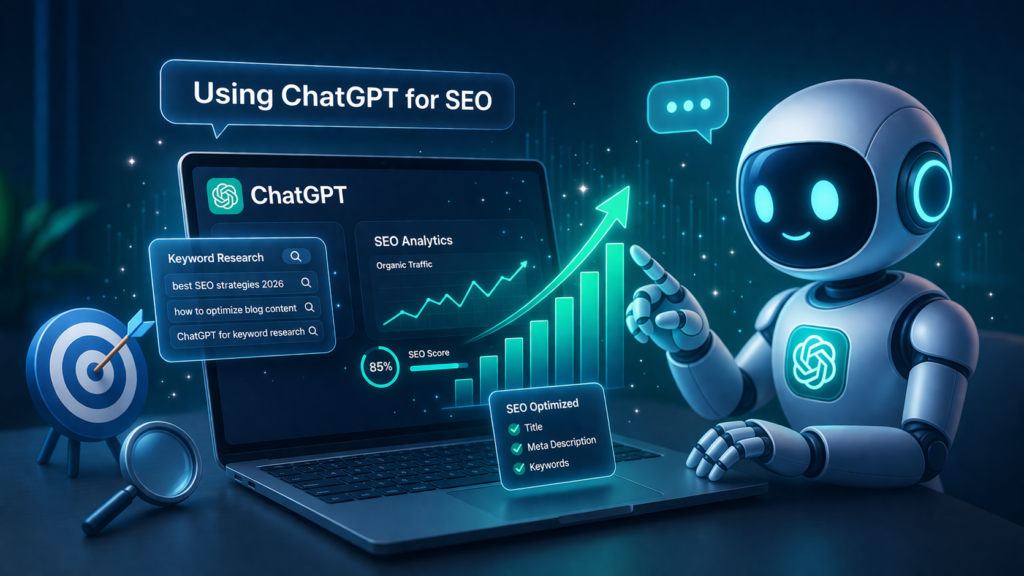
ChatGPT is an AI-powered language model that can assist with writing, brainstorming, and research tasks. In SEO, it can support various stages of content creation, including:
- Keyword research assistance
- Content outlining
- Draft writing
- Meta descriptions
- FAQ generation
- Content optimization ideas
It’s important to understand that ChatGPT does not replace SEO tools like Google Search Console, Ahrefs, or SEMrush. Instead, it complements them by helping you execute faster and think more creatively.
Why Use ChatGPT for SEO?
Many US-based bloggers and content creators are now integrating ChatGPT into their workflow because it helps:
1. Save Time
Instead of starting from scratch, you can generate drafts, outlines, and ideas quickly.
2. Improve Consistency
Publishing regularly is key for SEO. ChatGPT can help maintain a steady content schedule.
3. Generate Content Ideas
If you’re stuck, ChatGPT can suggest topics, headlines, and angles.
4. Support Content Scaling
If you run multiple sites or categories, ChatGPT helps manage volume efficiently.
Important: Google’s View on AI Content
Google does not ban AI-generated content. What matters is:
- Content quality
- Originality
- Usefulness
- Trustworthiness
To stay Google-safe:
✔ Add human editing
✔ Include real insights
✔ Avoid copying or mass-producing low-quality content
According to Google’s official helpful content guidelines, search systems prioritize people-first, reliable, and original content that benefits users rather than content created solely to manipulate search rankings.
Step-by-Step: How to Use ChatGPT for SEO
1. Keyword Research (Idea Generation)
While ChatGPT doesn’t replace keyword tools, it can help generate ideas.
Example Prompt:
“Give me 20 SEO keyword ideas for budget smartphones in the US.”
You can then take those ideas and validate them using tools like:
- Google Keyword Planner
- Ubersuggest
- Ahrefs
Pro Tip:
Focus on long-tail keywords like:
- “best phone under $200 in the US 2026”
- “cheap camera phone USA”
These are easier to rank for.
2. Creating SEO-Friendly Content Outlines
A strong structure improves readability and SEO.
Example Prompt:
“Create an SEO-optimized outline for ‘best camera phones under $200 in the US’.”
ChatGPT can generate:
- Headings (H1, H2, H3)
- Section flow
- Key topics to cover
Why This Matters:
Google prefers well-structured content that answers user queries clearly.
3. Writing First Drafts
ChatGPT can generate a full draft based on your outline.
Important:
Do NOT publish it as-is.
Instead:
- Rewrite sections
- Add personal insights
- Update with real-world examples
This ensures your content feels human and trustworthy.
4. Optimizing Content for SEO
ChatGPT can help improve readability and keyword usage.
Example Prompts:
- “Rewrite this paragraph in simple language”
- “Make this section more engaging”
- “Add SEO keywords naturally”
5. Writing Meta Titles & Descriptions
Meta tags are critical for click-through rates.
Example Prompt:
“Write a high-CTR meta title and description for a blog about budget phones under $200 in the US.”
Make sure:
- Title includes keyword
- Description is clear and compelling
6. Creating FAQ Sections (People Also Ask)
FAQ sections help your content appear in Google’s People Also Ask results.
Example Prompt:
“Generate 5 FAQs for ‘best camera phones under $200’.”
7. Internal Linking Strategy
ChatGPT can suggest internal linking ideas.
Example Prompt:
“Suggest internal links for a blog about budget smartphones.”
Internal linking helps:
- Improve SEO
- Increase page views
- Build topical authority
8. Content Refresh & Updating
Updating old content is important for rankings.
Use ChatGPT to:
- Rewrite outdated sections
- Add new trends
- Improve readability
📈 How to Use ChatGPT for US-Based SEO
If your audience is in the United States, you should:
🇺🇸 Use US-Specific Language
- Use USD ($) instead of other currencies
- Mention US availability (Amazon, Best Buy, Walmart)
🇺🇸 Focus on US Trends
Example:
- “best phones under $200 in the US”
- “budget laptops for students USA”
🇺🇸 Include Regional Context
Mention:
- Carriers (Verizon, AT&T, T-Mobile)
- US shopping seasons (Black Friday, Prime Day)
🧠 Best Practices for Using ChatGPT in SEO
✔ Combine AI + Human Input
AI helps with speed, but human input adds:
- Experience
- Trust
- Originality
✔ Focus on User Intent
Always ask:
👉 “What is the user actually looking for?”
✔ Avoid Over-Optimization
Don’t:
- Stuff keywords
- Repeat phrases unnaturally
✔ Add Unique Value
Examples:
- Comparisons
- Personal opinions
- Updated data
⚠️ Common Mistakes to Avoid
❌ Publishing AI Content Without Editing
This leads to:
- Low-quality content
Poor rankings
❌ Ignoring Fact-Checking
Always verify:
- Specs
- Prices
- Availability
❌ Writing Only for Search Engines
Focus on humans first.
❌ Using the Same Template Repeatedly
This creates generic content.
💰 Can You Monetize AI-Assisted Content?
Yes—if done correctly.
Monetization Methods:
- Google AdSense
- Affiliate marketing
- Sponsored posts
Requirements:
✔ Original content
✔ Helpful information
✔ Clear structure
🔗 Example Workflow (Simple & Practical)
Here’s a beginner-friendly workflow:
- Keyword idea → ChatGPT
- Validation → Keyword tool
- Outline → ChatGPT
- Draft → ChatGPT
- Edit → Human
- Optimize → ChatGPT + manual
- Publish → WordPress
📊 ChatGPT vs Traditional SEO Tools
| Feature | ChatGPT | SEO Tools |
| Keyword Data | ❌ | ✔ |
| Content Writing | ✔ | ❌ |
| Backlink Analysis | ❌ | ✔ |
| Idea Generation | ✔ | ✔ |
👉 Best approach: Use both together.
FAQ (People Also Ask)
Can ChatGPT improve SEO rankings?
ChatGPT can help create better content, but rankings depend on quality, relevance, and backlinks.
Is AI content allowed by Google?
Yes, as long as it is helpful, original, and created for users—not just search engines.
Can beginners use ChatGPT for SEO?
Yes. It’s one of the easiest tools for beginners to start with.
Do I still need keyword tools?
Yes. ChatGPT helps with ideas, but keyword tools provide real data.
Is ChatGPT enough for SEO?
No. You also need:
- Content strategy
- Technical SEO
- Backlinks
Final Thoughts
ChatGPT is not a magic solution for SEO, but it is a powerful assistant when used correctly. For US-based bloggers and website owners, it can significantly improve productivity, content quality, and consistency.
The key is balance.
Use ChatGPT to:
- Generate ideas
- Speed up writing
- Improve structure
But always add your own voice, verify information, and focus on delivering real value to your audience.
If you combine AI efficiency with human creativity, you can build content that ranks well and provides genuine value.
Final Thoughts
ChatGPT is not a magic solution for SEO, but it is a powerful assistant when used correctly. For US-based bloggers and website owners, it can significantly improve productivity, content quality, and consistency.
The key is balance.
Use ChatGPT to:
- Generate ideas
- Speed up writing
- Improve structure
But always add your own voice, verify information, and focus on delivering real value to your audience.
If you combine AI efficiency with human creativity, you can build content that ranks well and provides genuine value.
About the Author
Hi, We are the founders of EveryTechHub. We share beginner-friendly guides on AI tools, blogging, and technology based on hands-on testing and real experience. Read more about us.