
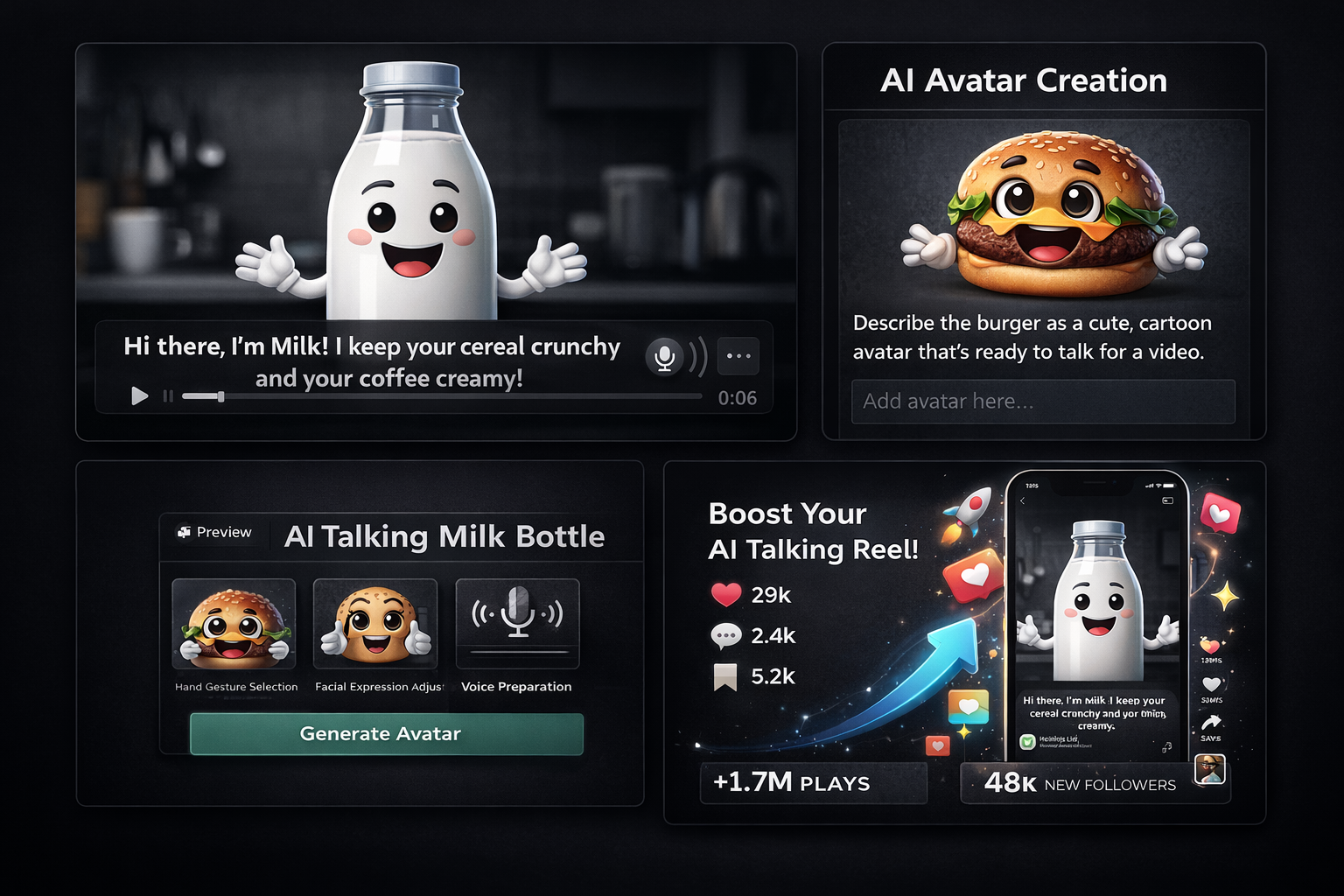
AI-generated content is rapidly transforming social media, and one of the most viral trends right now is AI talking object videos. From a coffee cup sharing morning thoughts to a smartphone complaining about screen time, these videos are everywhere on Instagram Reels, TikTok, and YouTube Shorts.
The best part? You don’t need professional editing skills or expensive software. With the right tools and strategy, anyone can create engaging and shareable content.
In this guide, you’ll learn how to create viral AI talking object videos for Instagram Reels, including the latest tools like ChatGPT Featured GPTs, Leonardo AI, Google Flow, and Kling AI.
What Are AI Talking Object Videos?
AI talking object videos are short-form clips where:
- Everyday objects are turned into characters
- AI tools add facial expressions or motion
- Voiceovers make them “talk”
These videos are popular because they combine:
- Humor
- Creativity
- Relatable scenarios
🚀 Why These Videos Go Viral
Understanding why this format works will help you grow faster.
1. Instant Attention
Seeing an object talk creates curiosity and stops scrolling.
2. Short and Engaging
Most viral clips are under 10–15 seconds.
3. Highly Shareable
Funny or relatable content spreads quickly.
4. Beginner-Friendly Trend This niche is still growing, so competition is manageable
🧰 Best AI Tools to Create Talking Object Videos (2026)
To create high-quality content, you need a combination of idea generation, image creation, animation, and voice tools.
🤖 1. ChatGPT Featured GPTs (Idea & Script Creation)
ChatGPT offers a Featured GPTs section, where you can find specialized tools for creative content.
How it helps:
- Generate viral script ideas
- Create funny dialogues for objects
- Build content concepts quickly
👉 Example prompt:
“Write a funny 8-second script for a talking coffee mug”
👉 Best for: Beginners who want fast, creative ideas.
🍌 2. Google Nano Banana (AI Image Creation)
Google Nano Banana can be used to generate unique object images with personality.
What you can do:
- Create objects with faces
- Design cartoon-style visuals
- Experiment with creative concepts
👉 Example:
“A smiling water bottle with cartoon eyes”
👉 Best for: Unique and eye-catching visuals.
🎨 3. Leonardo AI (Professional Image Generation)
Leonardo AI is ideal for creating high-quality, detailed images.
Features:
- Realistic or stylized outputs
- Consistent character design
- High-resolution images
👉 Best for: Professional-looking reels.
🎥 4. Google Flow (Image to Video)
Google Flow helps turn static images into animated video clips.
Use cases:
- Add subtle motion to objects
- Create short looping animations
👉 Best for: Bringing still images to life.
🎬 5. Kling AI (Advanced Animation Tool)
Kling AI is a powerful tool for converting images into realistic animated videos.
Features:
- Smooth motion
- Realistic animation
- High-quality output
👉 Best for: Creating viral-level content.
🎤 6. Voice Generation Tools
To make your object talk, you need voice tools:
- CapCut text-to-speech
- ElevenLabs (natural AI voices)
👉 Tip: Match the voice with the object personality
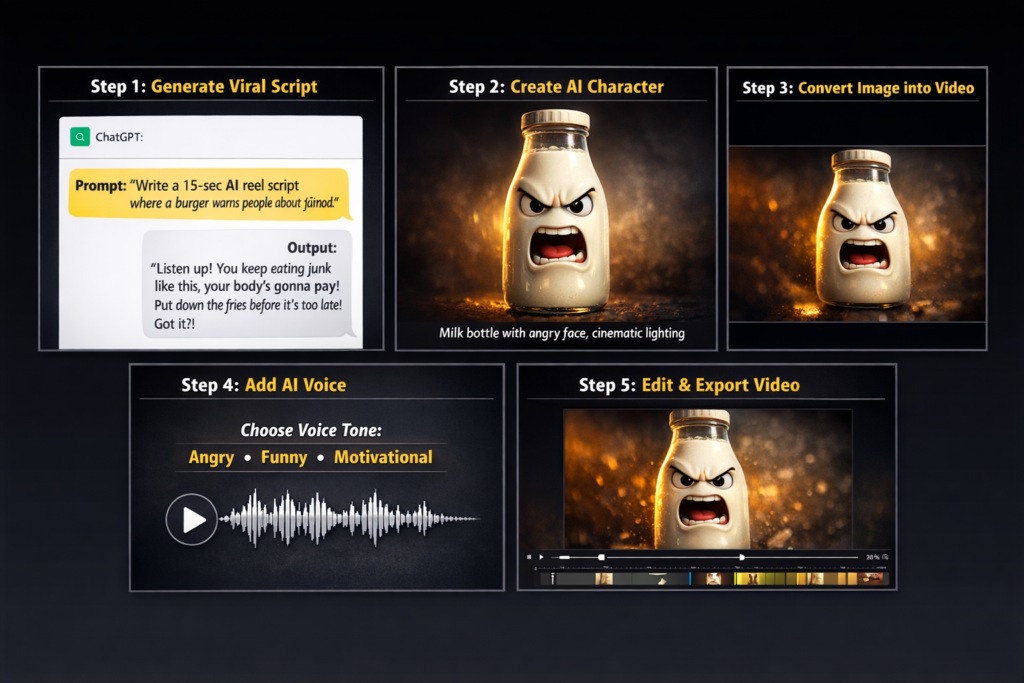
🔄How to Create AI Talking Object Videos Step by Step
Step 1: Choose a Relatable Object
Start with everyday items:
- Phone
- Coffee mug
- Shoes
- Laptop
- Water bottle
👉 Relatable objects perform better
Step 2: Generate a Script
Use ChatGPT or Featured GPTs to create a short script.
Keep it:
- 5–10 seconds
- Funny or relatable
Example: “I’m not ignored… I’m just on silent mode.
Step 3: Create the Image
Use:
- Leonardo AI (for quality)
- Google Nano Banana (for creativity)
Make sure your object:
- Has a face
- Looks expressive
Step 4: Convert Image to Video
Use:
- Google Flow (simple animation)
- Kling AI (advanced animation)
This step adds motion and realism.
Step 5: Add Voice
Use:
- CapCut
- ElevenLabs
Sync voice with animation.
Step 6: Edit for Instagram Reels
Use CapCut or similar apps.
Add:
- Subtitles
- Zoom effects
- Background music
Format: 1080 × 1920 (vertical)
Step 7: Add a Strong Hook
First 2 seconds matter most.
Example:
“Why does my owner ignore me every day?”
📈 Tips to Make Your Videos Go Viral
🔥 1. Focus on Relatable Content
Topics:
- Laziness
- Work stress
Social media habits
🔥 2. Keep It Short
👉 Ideal length: 7–12 seconds
🔥 3. Use Subtitles
Most users watch without sound.
🔥 4. Follow Trends
Use trending:
- Audio
- Formats
- Meme styles
🔥 5. Post Consistently
👉 1–2 videos daily for growth
💰 How to Monetize AI Talking Object Videos
💸 1. Affiliate Marketing
Promote:
- AI tools
Editing apps
💸 2. Brand Deals
Brands may pay for:
- Sponsored content
- Product mentions
💸 3. Content Repurposing
Upload to:
- TikTok
YouTube Shorts
💸 4. Digital Products
Sell:
- Templates
- Script packs
- Editing guides
⚠️ Common Mistakes to Avoid
❌ Long videos
❌ Weak hooks
❌ Poor audio
❌ No captions
❌ Copying content exactly
🧠 Content Ideas (Ready to Use)
- “Your phone judging your screen time”
- “Alarm clock roasting you”
- “Laptop reacting to deadlines”
- “Water bottle complaining about being ignored”
FAQ Section (People Also Ask)
How do you make objects talk in AI videos?
You can use tools like Leonardo AI for images, Kling AI or Google Flow for animation, and voice tools like ElevenLabs to create talking effects.
Are AI talking videos allowed on Instagram?
Yes, as long as the content follows Instagram’s guidelines and is not misleading or harmful.
Do I need paid tools?
No. Many tools offer free versions that are enough to get started.
How long should reels be?
Short videos (7–15 seconds) perform best.
Can I monetize AI-generated videos?
Yes. You can earn through affiliate marketing, brand deals, and content repurposing.
Which tool is best for beginners?
ChatGPT for scripts, CapCut for editing, and Leonardo AI for images are beginner-friendly options.
Final Thoughts
AI talking object videos are one of the easiest and fastest-growing content formats in 2026. With tools like ChatGPT Featured GPTs, Leonardo AI, Google Flow, and Kling AI, creating viral content is more accessible than ever.
Focus on:
- Simple ideas
- Strong hooks
- Consistency
Start experimenting today, and you can build a viral content page faster than you think.ChatGPT for scripts, CapCut for editing, and Leonardo AI for images are beginner-friendly options.
About the Author
Hi, We are the founders of EveryTechHub. We share beginner-friendly guides on AI tools, blogging, and technology based on hands-on testing and real experience.  Read more about us.